

Features
All the features
From uploading your photos to the runner's HD download: here, in detail, is everything Paceshot does. Click a line to expand it.
Everything you need to sell
your photos
41 features, grouped by theme. Paid add-ons and plan limits are shown in each entry.
Upload & sorting
Export your JPEGs, drag them in: the gallery builds itself.
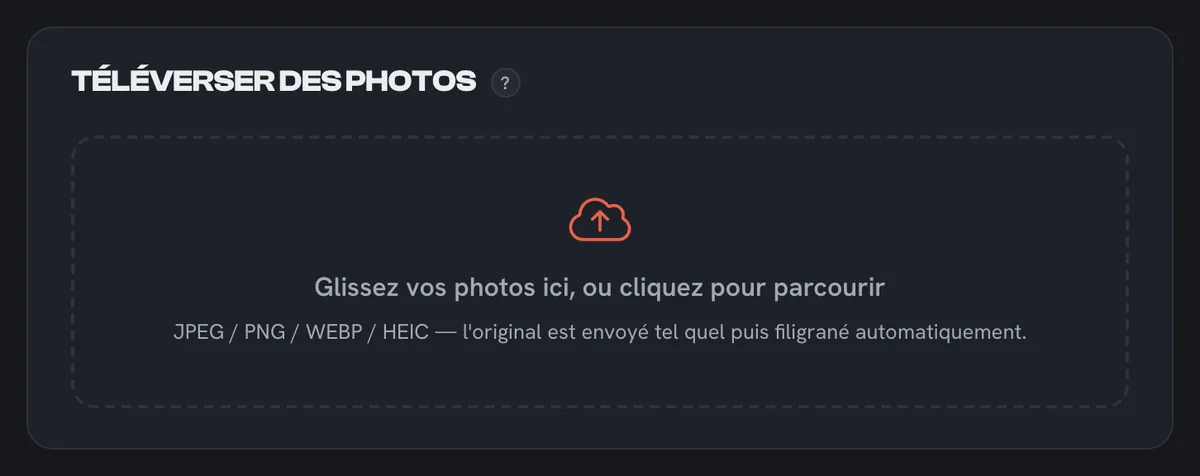
Drag-and-drop uploadDrag your photos onto a race page and Paceshot takes care of the rest.
Nothing to install, no FTP: from your browser, you drop your files onto the race. They upload straight to storage, two at a time, and a button retries any that failed.
- JPEG, PNG, WebP and HEIC accepted (up to 30 MB per file; RAW files need exporting first)
- Duplicates skipped automatically: re-uploading a file that is already online does not duplicate it
- Capture time read from the EXIF data, for search by time of passage
- HD original sold to the runner: resized to 4,000 px on the long edge (JPEG quality 90) before upload if it is larger or weighs more than 6 MB, metadata kept; previews and thumbnails are generated for you
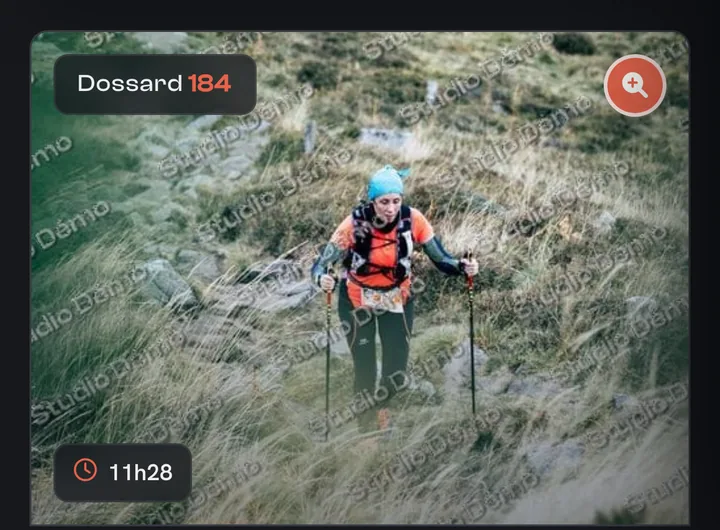
Watermarked previews in your nameRunners see protected previews; the HD file is only sent after payment.
Every photo online is shown as a smaller version, watermarked with your studio's name. The original without a watermark is only delivered to the buyer, through a secure download link.
- Watermark with your shop's name, applied automatically on upload
- HD original never exposed in the gallery
- You remain the author of your images and keep all your rights
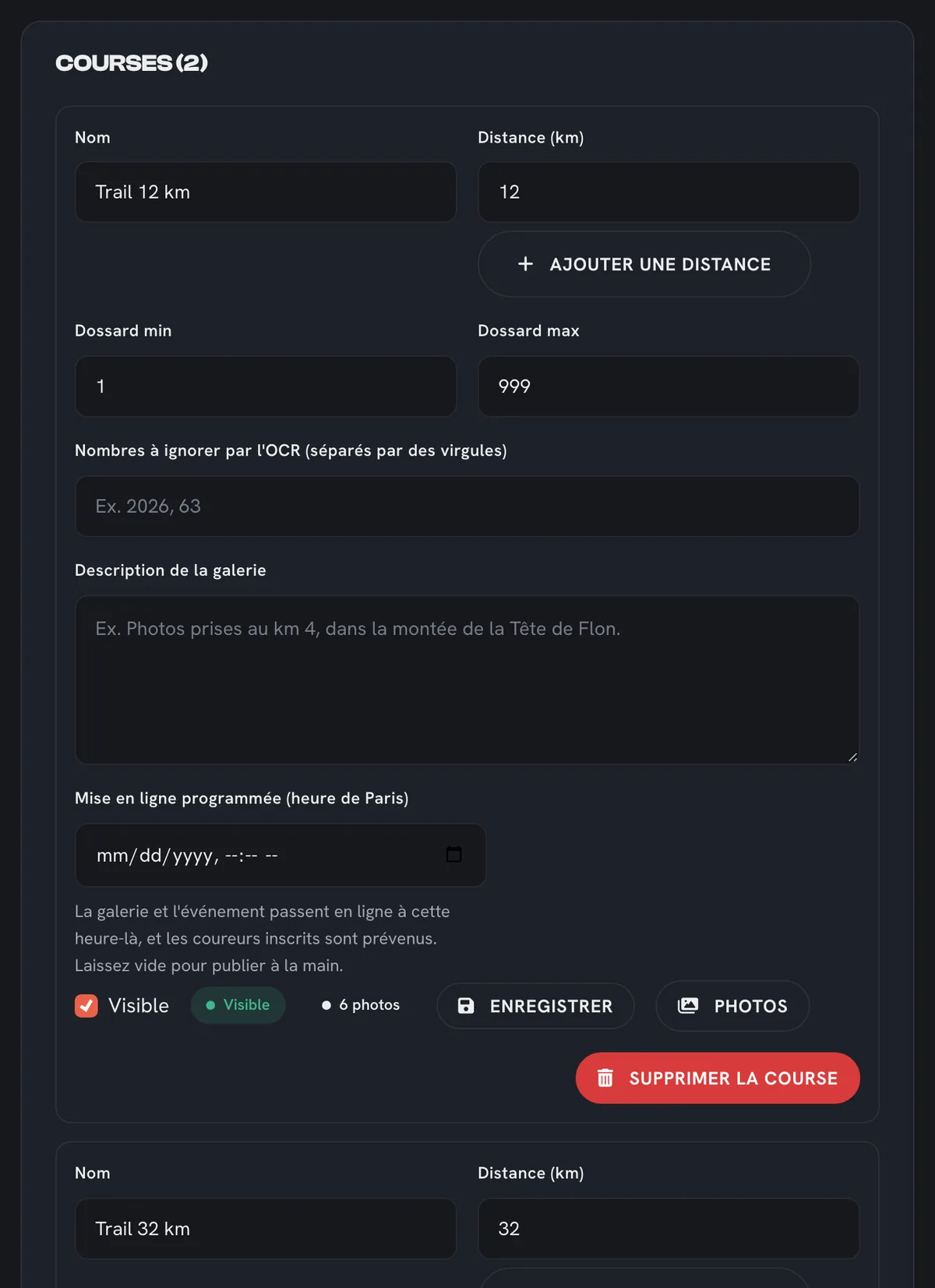
Events and racesOne event, several distances: each race has its own gallery.
You create the event (name, date, location), then its races (12 km trail, 32 km…). Each race has its own gallery, bib range and visibility in the shop.
- Several races and distances per event
- Show or hide an event or race in the shop at any time
- Full deletion of a race or event, photos and storage included
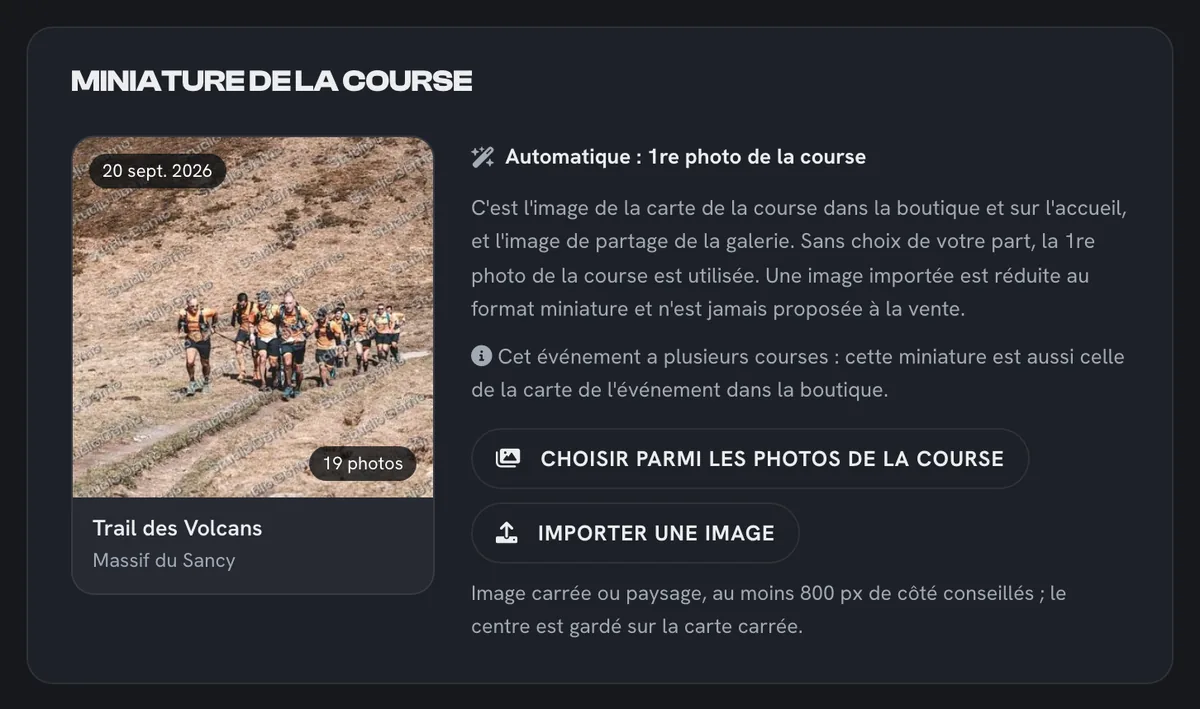
Race thumbnailThe cover photo of your race, your choice.
It's the image on the race card in your shop and on the home page, and the gallery's sharing image. By default, it's the race's first photo; you can pick another one or upload a dedicated image.
- Pick from the race's photos
- Upload a dedicated image, resized to thumbnail format and never offered for sale
- Back to the automatic thumbnail in one click
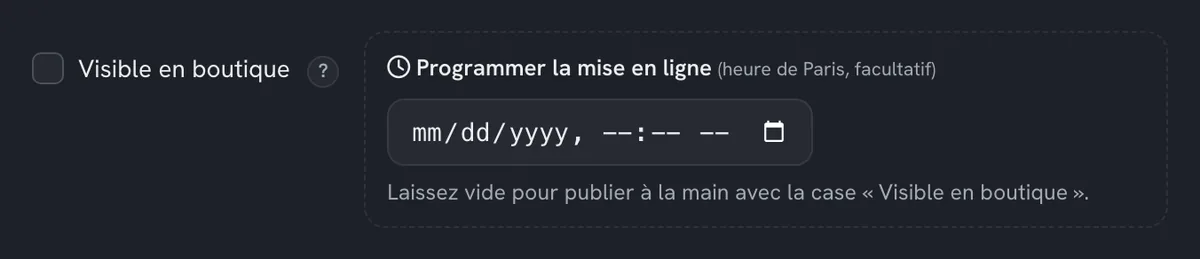
Scheduled publishingYou choose when the event goes live, and runners who signed up are notified.
Prepare your event in advance and schedule when it goes live (Paris time). It stays hidden until then, then opens by itself; runners who asked to be notified get the alert.
- Date and time of your choice, on the event page
- Opens automatically, checked every 5 minutes
- “Publish” opens the event straight away and cancels the schedule
Recognition
Bibs, faces, time of passage: every runner finds their photos.
Bib recognitionOne click, and every photo of the race is sorted by bib number.
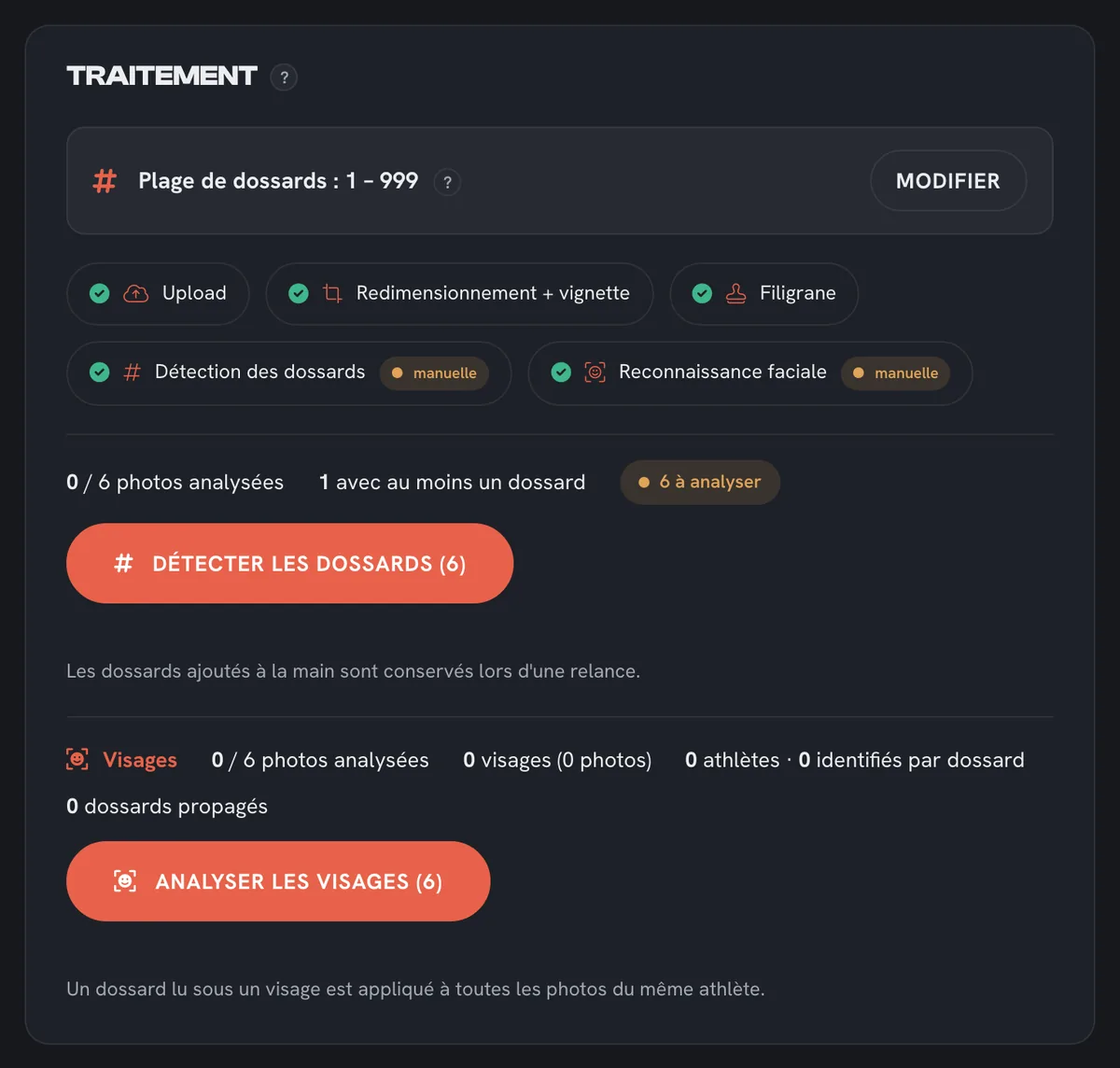
Paceshot reads the bib numbers on every photo of the race (AWS text recognition). You start the analysis whenever you like, race by race, and follow its progress live.
- Bib range and numbers to ignore set per race (the year printed on the bib, for example)
- One-click corrections: add or remove a bib on a photo; a manual correction is never overwritten
- Photos where no number could be read remain available to runners (“Unreadable bib” filter)
Configurable face recognitionA runner with no visible bib finds themselves with a selfie.
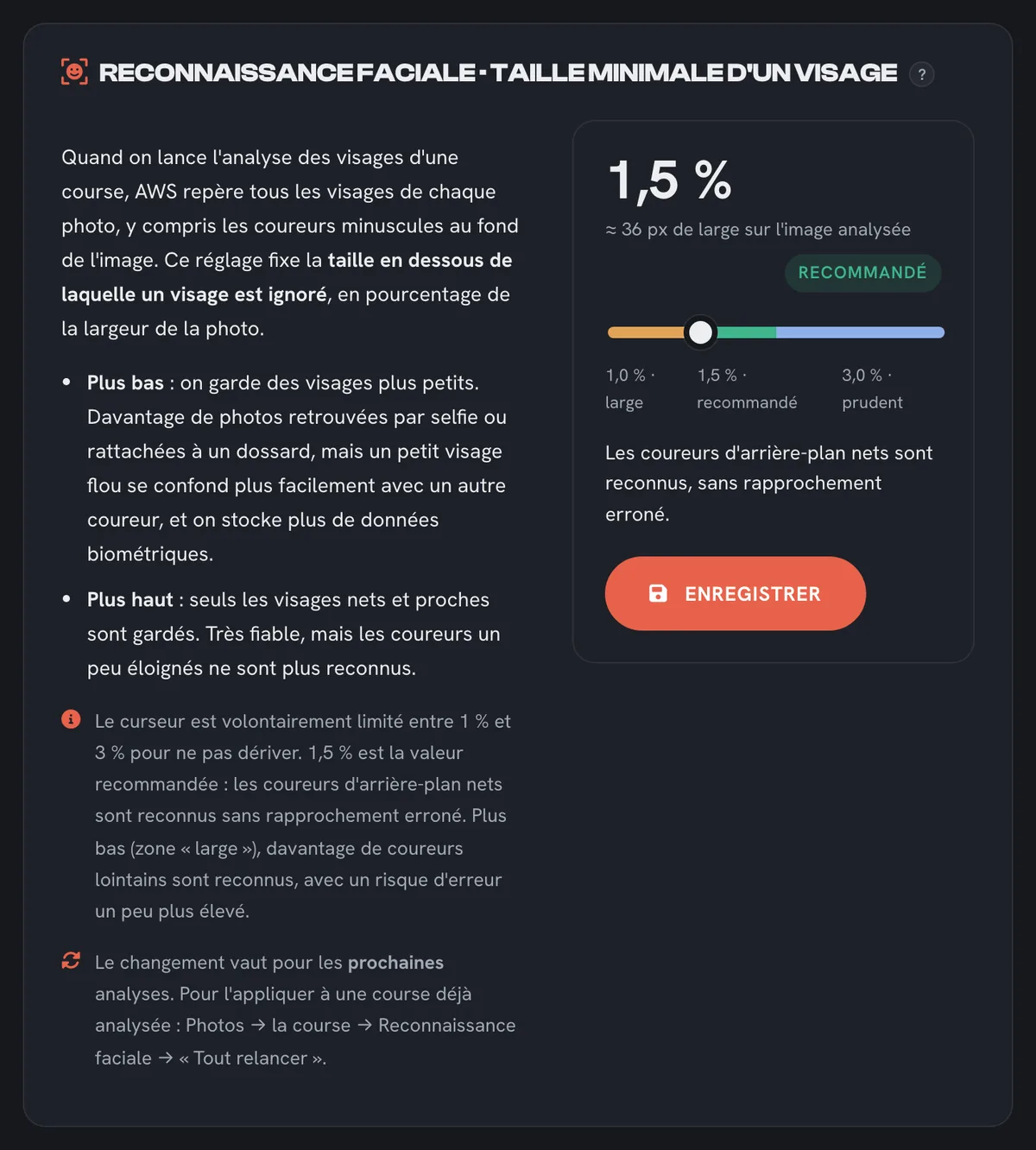
Paceshot detects the faces in the race (AWS Rekognition) and groups the photos of the same person. The bib read on one of their photos is applied to all the others: a runner seen from behind or with a hidden bib is still found.
- You choose which races to analyse: analysis runs race by race, and selfie search only appears on analysed galleries
- You set the minimum face size (1 to 3% of the photo's width, 1.5% recommended) to leave out faces that are too far away
- You can detach a wrongly matched face or set a runner's bib
- Pro and Studio plans: 2,000 photos analysed per month included on Pro, 8,000 on Studio; beyond that, optional overage at €5 per 1,000 on Pro, €4 on Studio
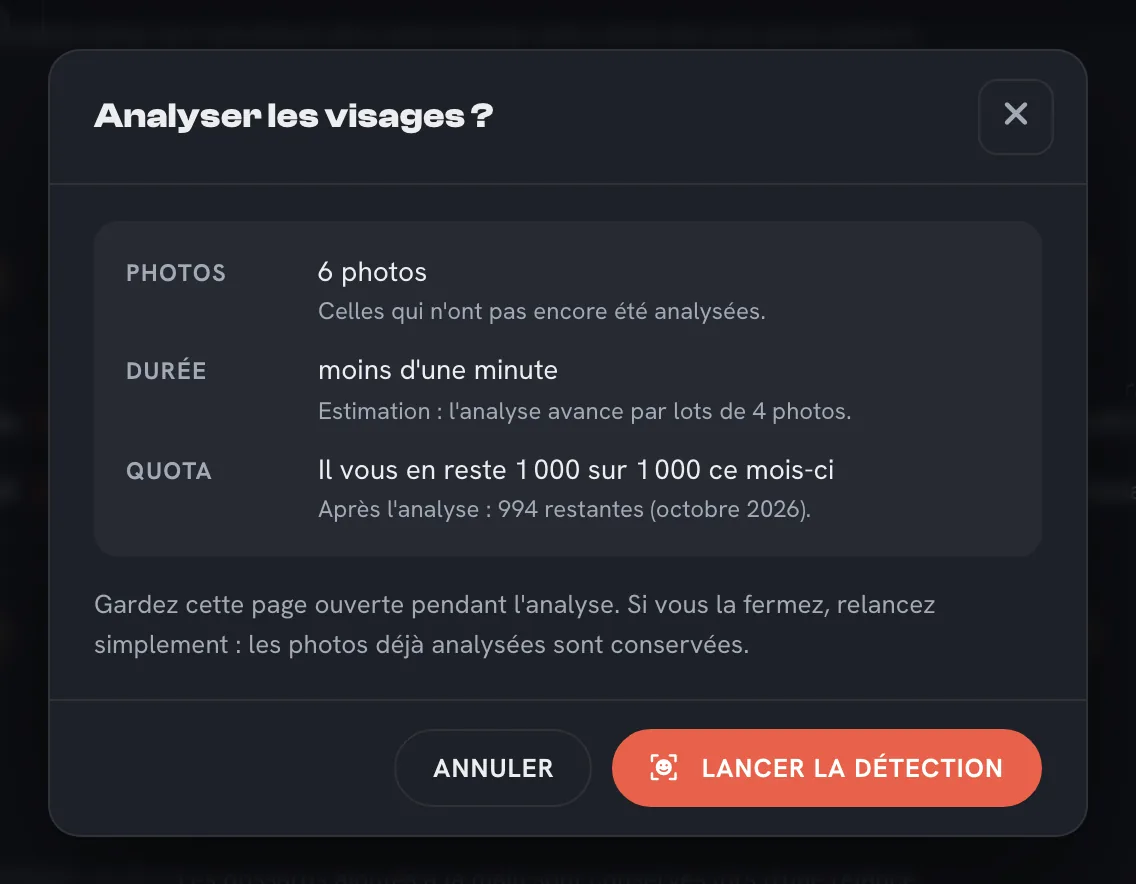
Confirmation before each analysisYou know what you are starting: photos, duration, quota.
Before detecting bibs or analysing faces, a window sums up the analysis: number of photos involved and estimated duration; for faces, the quota left this month and what will remain afterwards.
- Reminder if the race's bib range has not been set
- Face quota: remaining this month, partial analysis or quota reached, cost of any overage
- Nothing starts without your confirmation
A shop in your name
Your photographer website: galleries, portfolio, news, and your name everywhere.
Your online shopA shop in your name, ready as soon as you sign up.
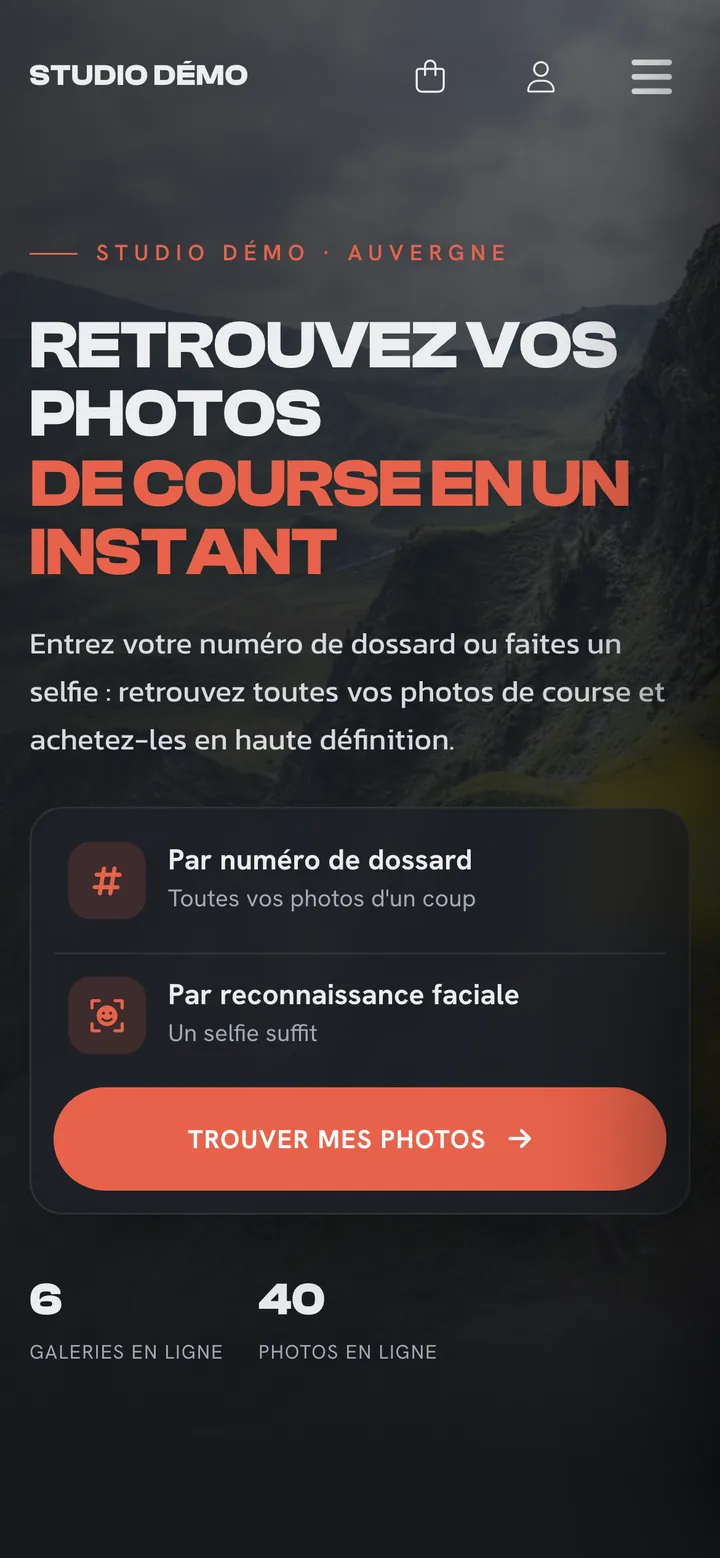
Your shop has its own address (your-studio.paceshot.com), a home page with search by bib and by selfie, and a gallery per race. Runners have nothing to install and no account to create to look for their photos.
- Address can be changed; old addresses redirect to the new one
- Legal pages (legal notice, terms of sale, privacy) filled in with your details
- Built-in cookie consent banner
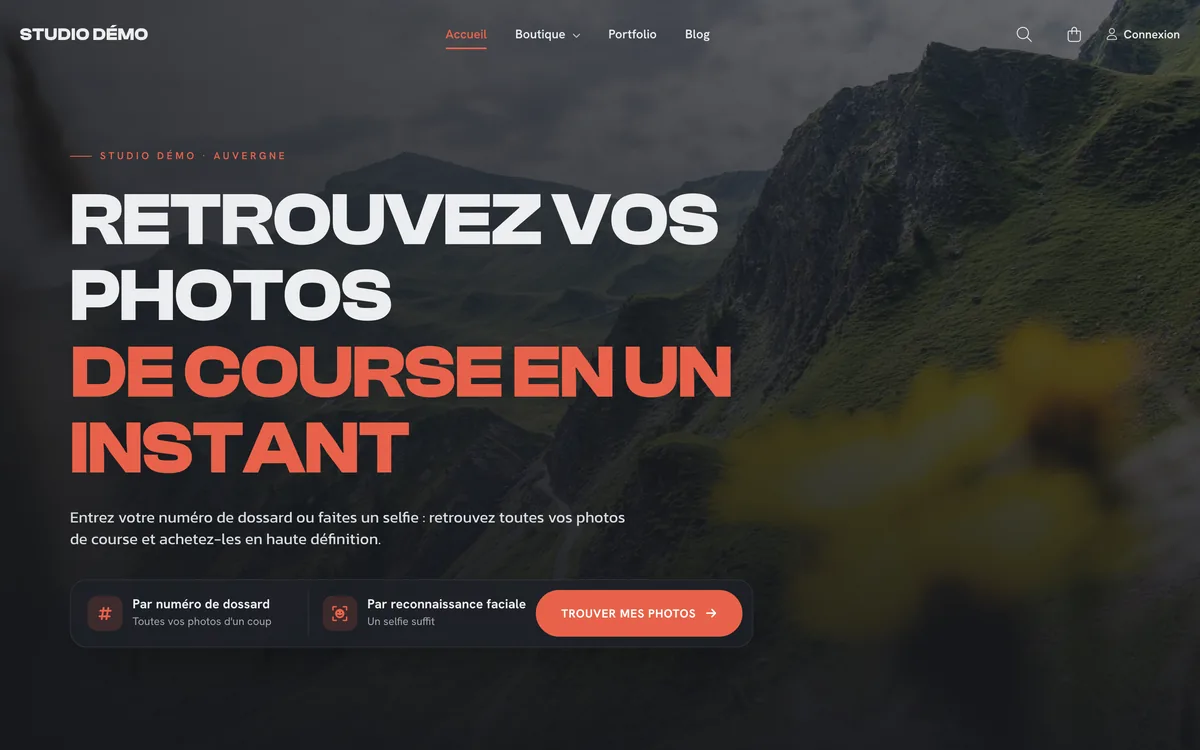
Logo, colour and home photoYour shop takes on your colours in a few settings.
In “My studio”, you add your logo (trimmed automatically), choose your accent colour and your home photo, with the framing for desktop and for mobile.
- PNG, JPG, WebP or SVG logo, margins removed automatically
- Shop accent colour of your choice
- Home photo with focal point and desktop / mobile preview
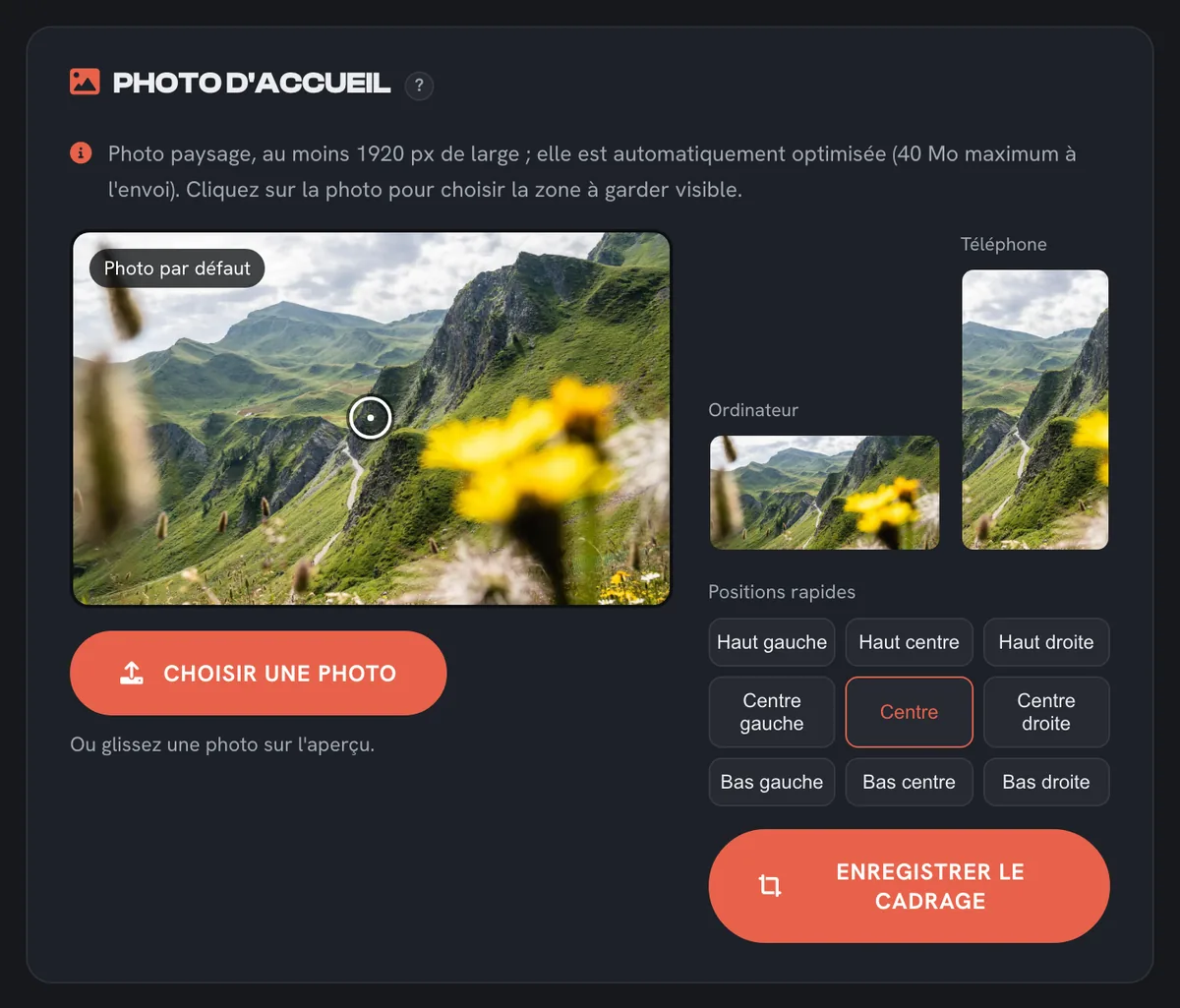
Custom domainphotos.yourstudio.co.uk instead of a Paceshot address.
Your shop appears on your own address. The domain stays yours with your registrar (OVH, Gandi, IONOS…): you add two DNS records (the address and a proof of ownership), Paceshot connects the domain and provides the HTTPS certificate.
- Add-on at €5 a month, on the Pro and Studio plans
- Only billed once the domain is verified
- Links to your old address redirect to your domain
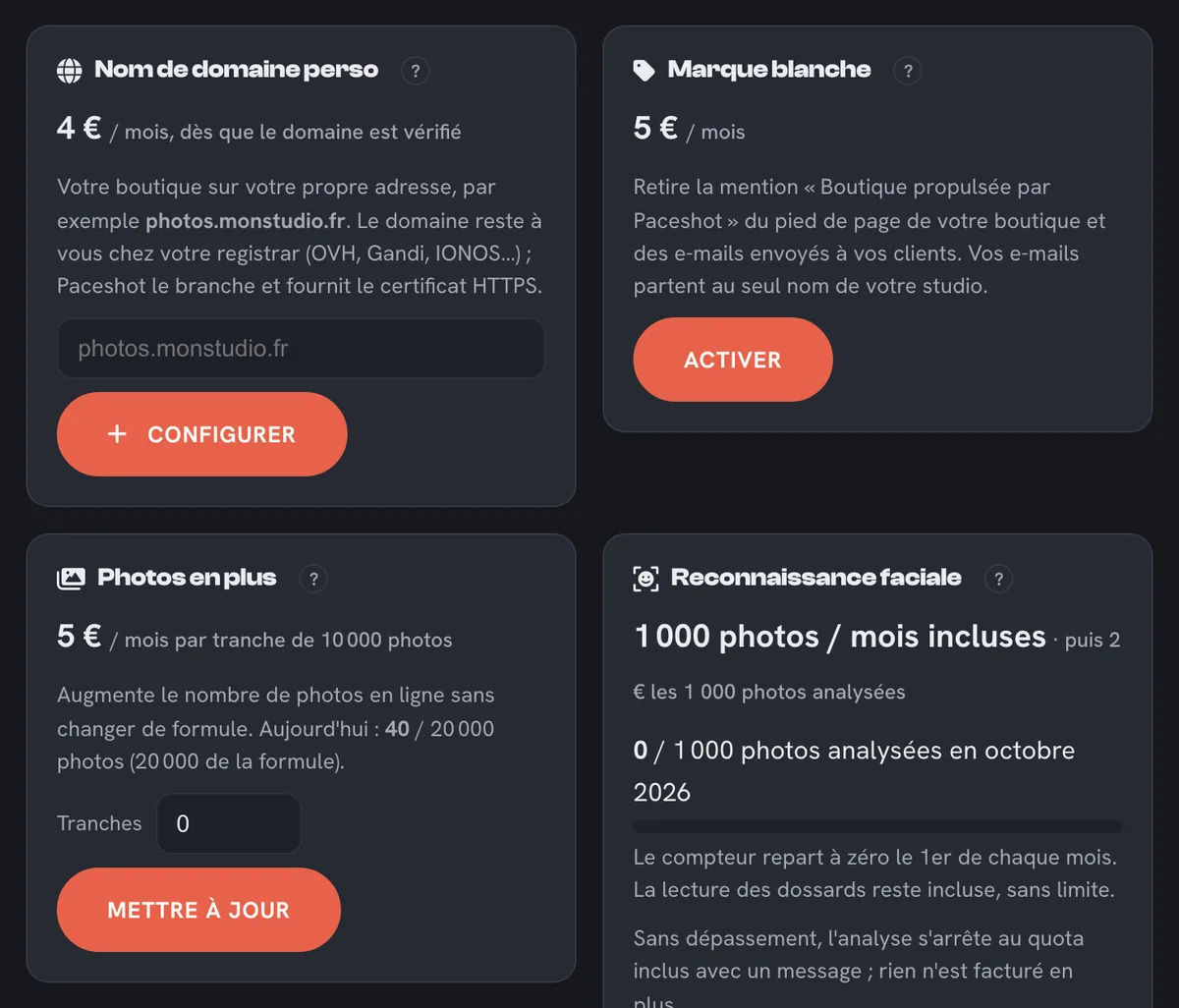
White labelNo more mention of Paceshot for runners.
This add-on removes the “Shop powered by Paceshot” mention from your shop's footer and from the emails sent to your customers: everything goes out in your name alone.
- Add-on at €5 a month on Pro, included on Studio
- Switched on and off from your settings
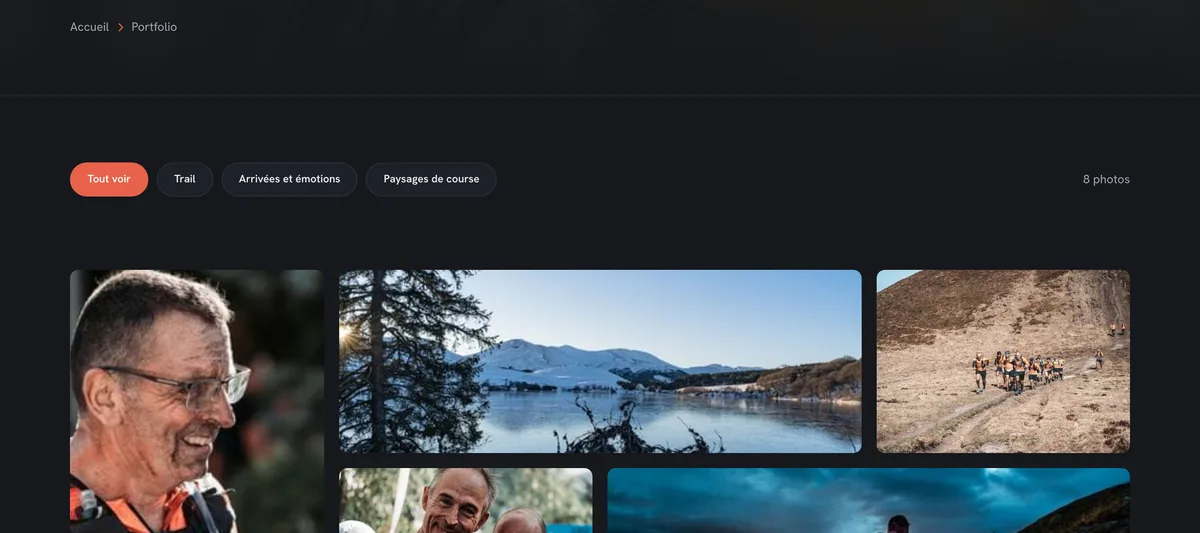
PortfolioYour best images, organised by theme, with no watermark.
A Portfolio page to show your work beyond races: you create your categories (trail, finishes and emotions, landscapes…) and drag your photos into them.
- Custom categories that visitors can filter
- Portfolio photos shown without a watermark
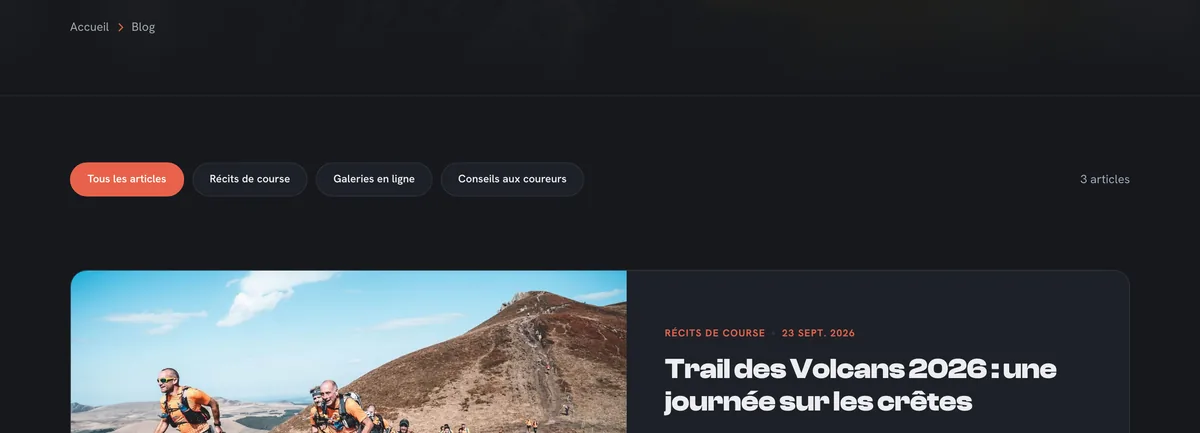
NewsTell the story of your races: race reports, behind the scenes, tips.
A built-in News section, with a visual editor, categories and cover image. Readers can comment on and like your posts, and the 3 latest posts can appear on the home page.
- Visual or HTML editor, categories, publication date
- Comments and “likes” on every post
- “News” block on the home page, set up in My studio
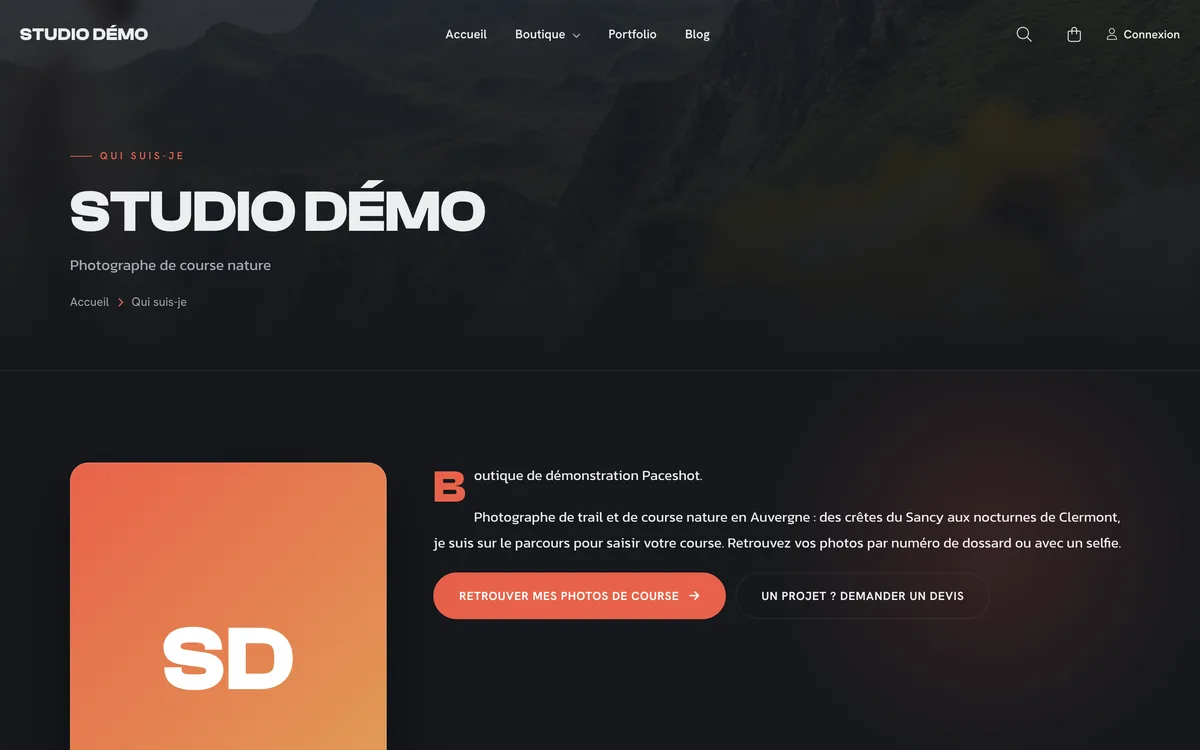
“About me” page and social mediaYour introduction, your photo and your social media.
Your profile feeds an “About me” page and your shop's footer: photo, tagline, introduction and links to your social media.
- Instagram, Facebook, YouTube, TikTok, Strava, LinkedIn and X
- Share button on galleries and photos
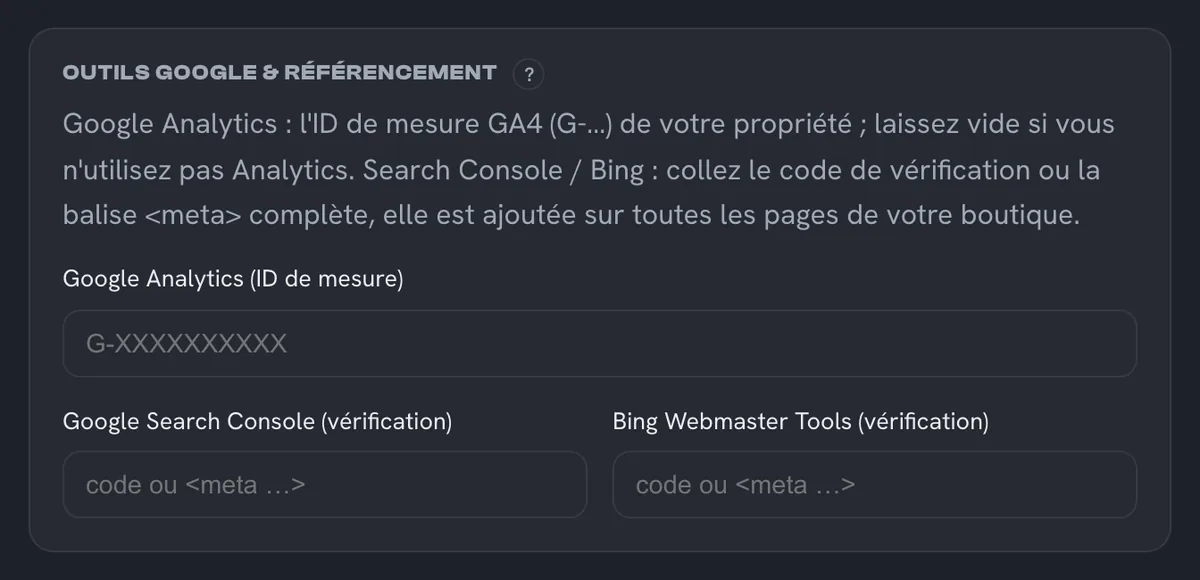
Google search visibilityYour galleries and posts are ready for search engines.
Your shop automatically publishes a sitemap with your galleries, photos and posts; every page has its own title, description and structured data. You connect your tools by simply pasting your ID.
- Sitemap, robots.txt and structured data generated automatically
- Google Analytics (GA4), Google Search Console and Bing Webmaster Tools
- llms.txt file for AI answer engines
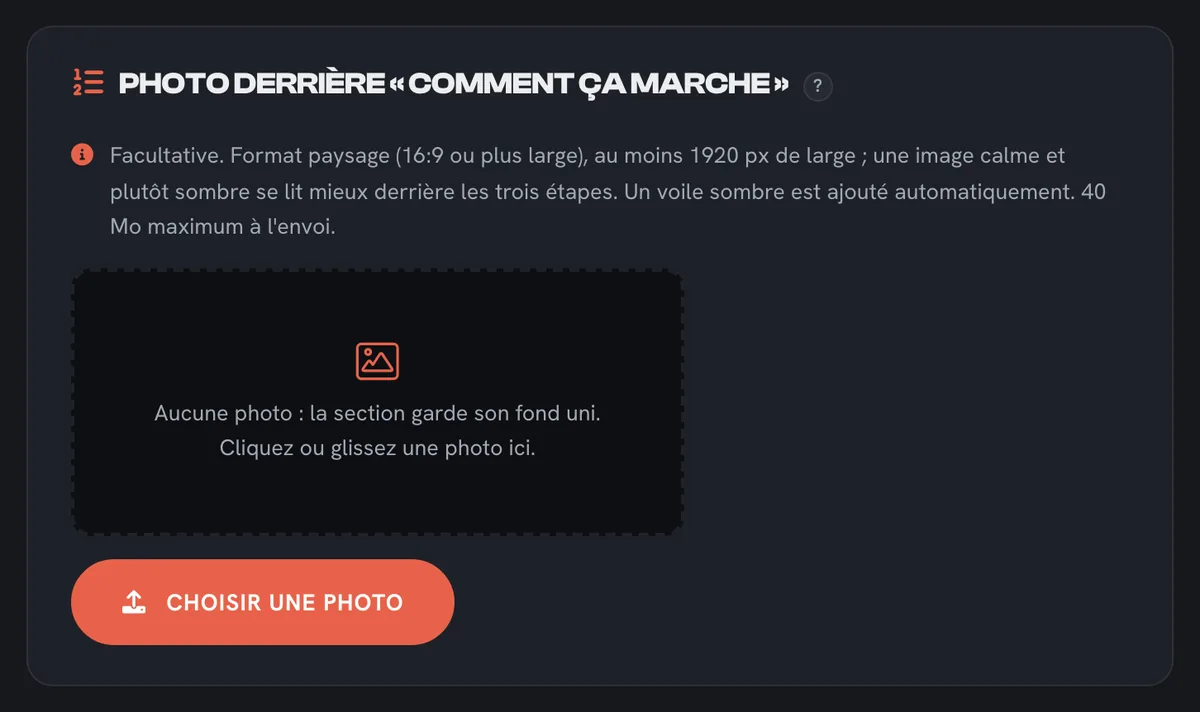
Section background photosA photo behind “How it works” and in the footer.
Two optional spots to dress up your shop: behind the “How it works” steps on the home page and in the footer. A dark overlay is added to keep the text readable.
- Photo optimised automatically, framing of your choice
- Desktop and mobile preview before saving
- Without a photo, the section keeps its plain background
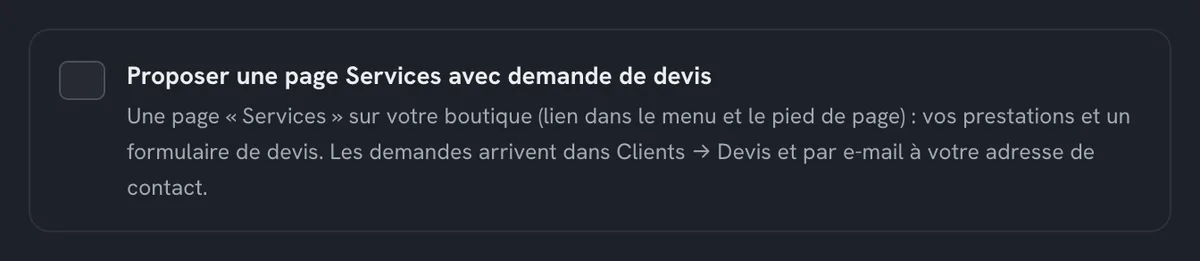
Services page and quote requestsPresent your services and receive quote requests.
An optional “Services” page, switched on in My studio: you describe your services (title, description, guide price “from”), and visitors request a quote through a form. Linked from your shop's menu and footer.
- Off by default, switched on with one tick box
- Form: service, date, location, number of participants, budget, description
- Requests filed under “Quotes” and sent by email; acknowledgement sent to the visitor
Sales & payments
You set your prices, runners pay online, the money comes to you.
Payment straight to your Stripe accountRunners pay by card, the money lands in your account.
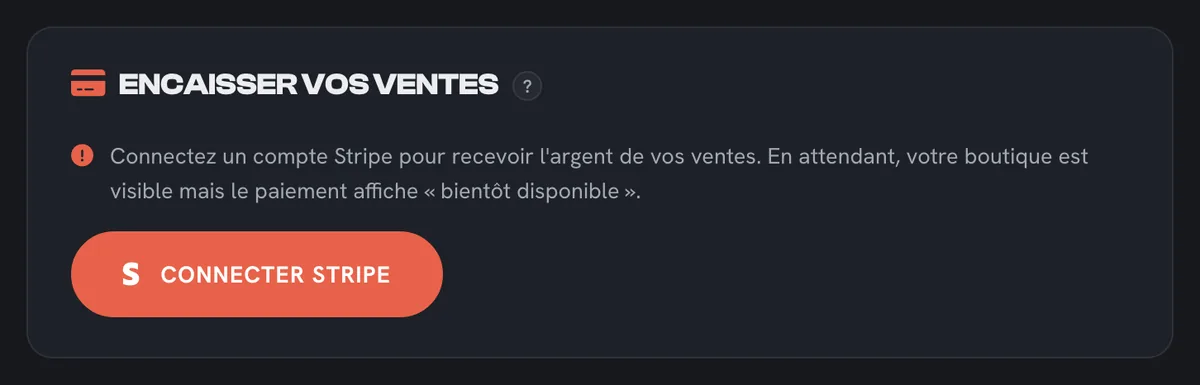
You connect your Stripe account once: Stripe checks your identity and your bank details. After that, every sale lands in your Stripe account at the moment of payment, 100% of your price, then in your bank account on your Stripe payout schedule.
- Card payment on a secure Stripe page
- No minimum threshold, no monthly payout by Paceshot
- Until Stripe is connected, the shop stays visible with payment “coming soon”
Zero commission, payment and service fee your wayYou receive 100% of your price; you decide who pays the payment and service fee.
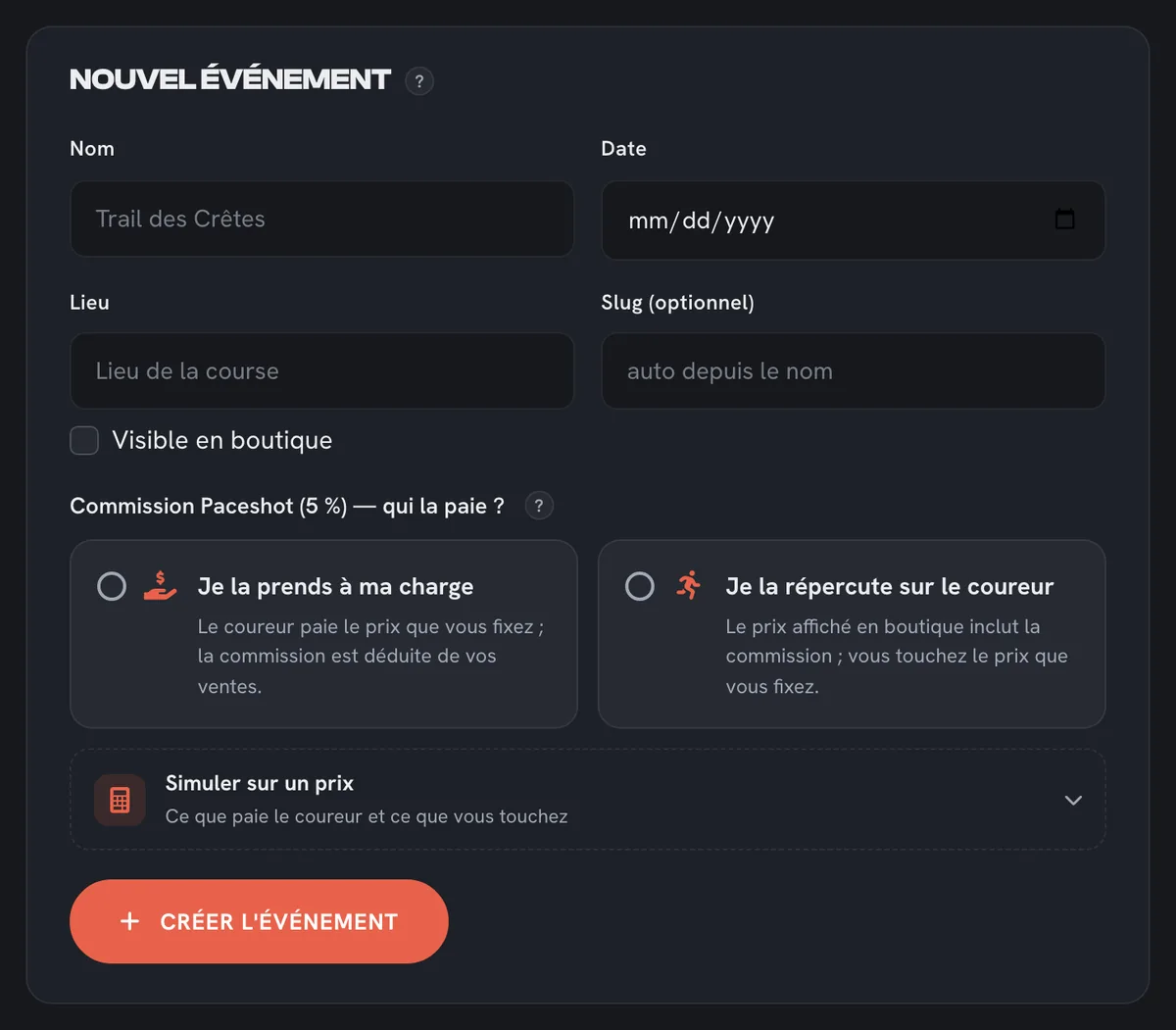
Paceshot takes no commission on your sales. Each order carries a payment and service fee of 6% + €0.49 (€0.89 minimum, capped at €2.49), Stripe fees included. For each event, you choose who pays it: the runner, who sees it in their basket before paying, or you, in which case it is deducted from your sale.
- Chosen when you create the event, can be changed later
- Built-in simulator: what the runner pays and what you receive
- Fee fixed on each order, visible in your accounts
Products and volume pricingHD file, prints, sizes: your products, your prices.
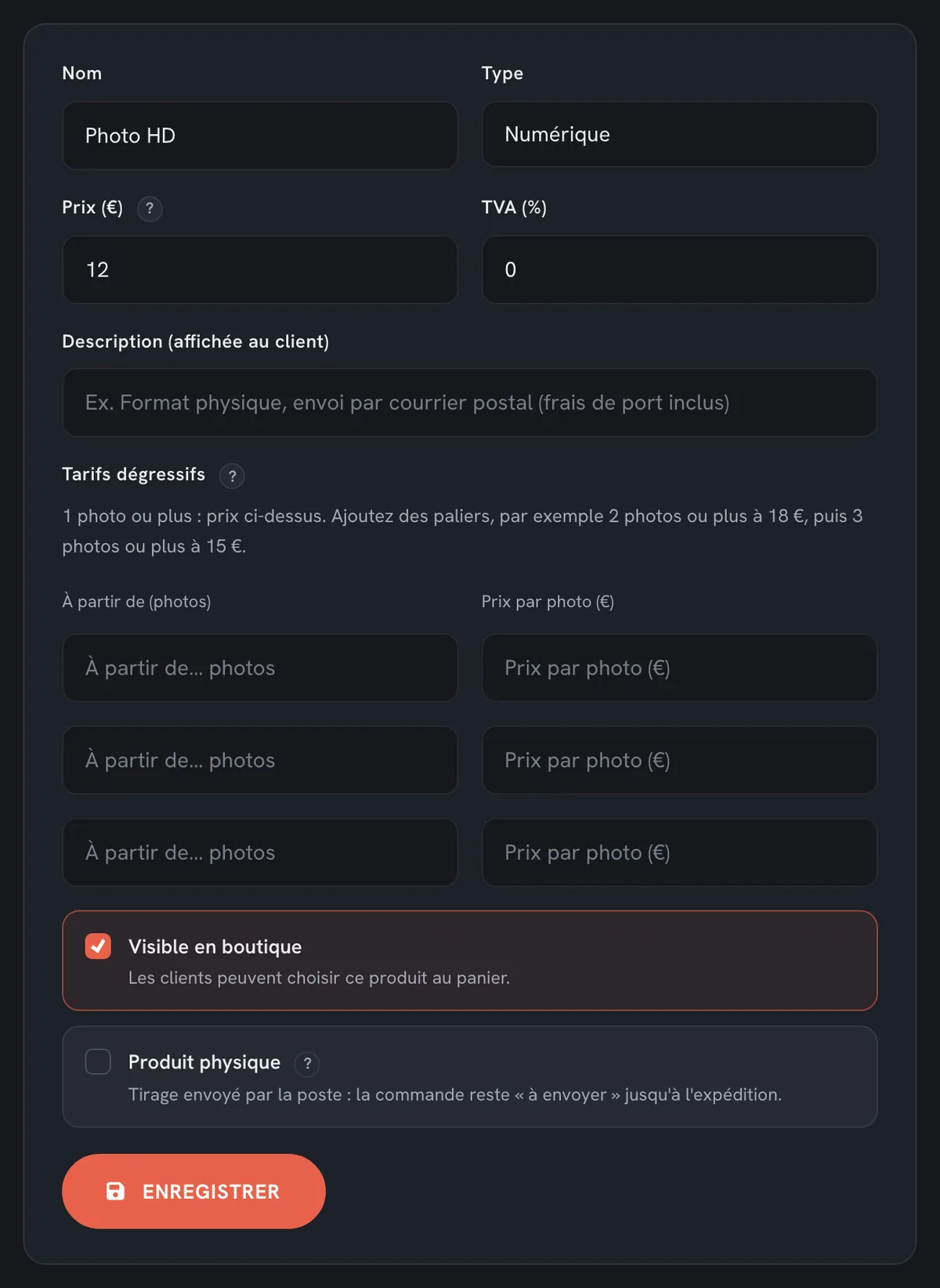
You create your products (digital HD photo, 15x15, 30x30 prints…), with their price and VAT rate. Price tiers reward buying several photos.
- Digital or physical products (sent by post)
- Volume pricing: for example 2 or more photos at €10, 3 or more at €8
- VAT per product, or VAT exemption for small businesses
Products chosen per eventFor each event, you tick the products on offer.
On each event's page, you choose the products for sale: just the HD photo for one race, prints as well for another. Your shop also has a “Free download” product, offered only on the events where you tick it.
- With nothing selected, all your active paid products are offered
- Free download: €0 order, no payment, limited to 5 free orders per email address per hour
- Selection checked when adding to the basket and at payment
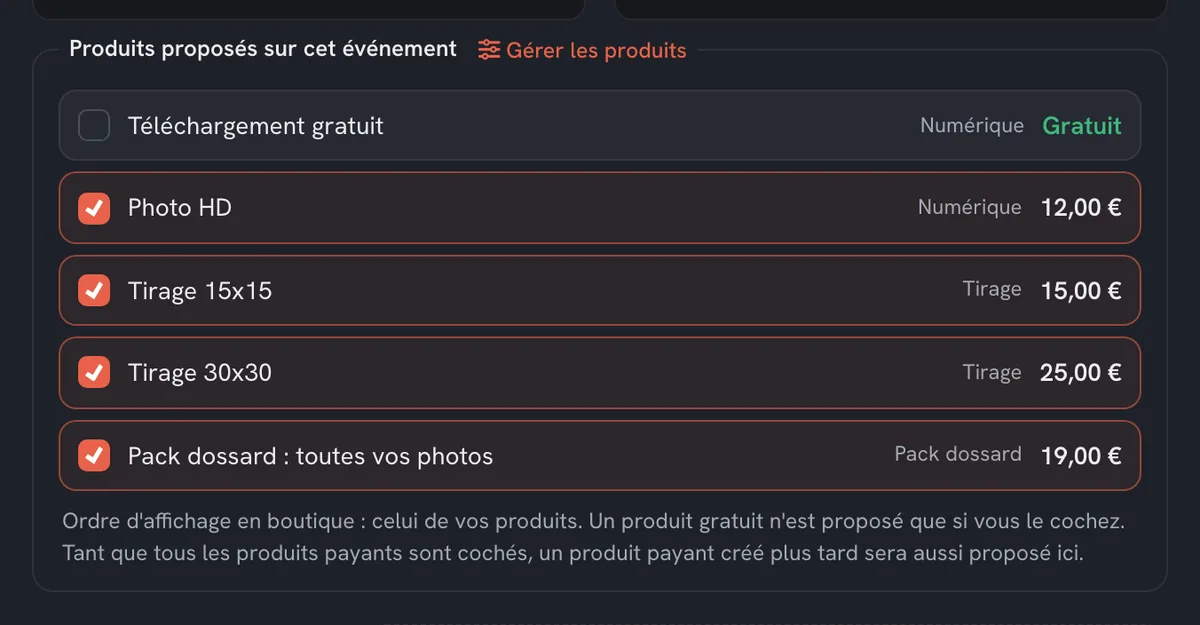
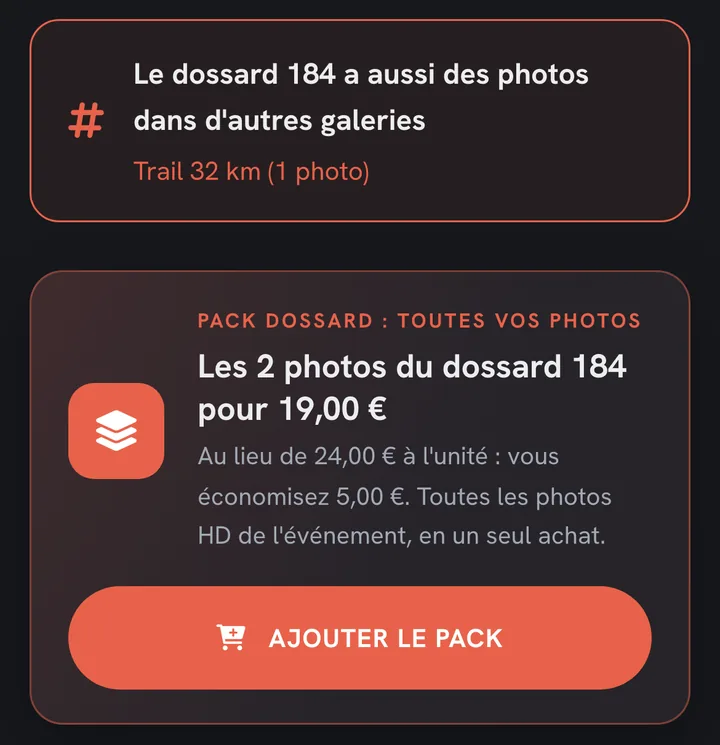
Photo packAll the photos of one bib, at a single price.
When a runner searches for their bib, Paceshot offers them the pack of all their photos from the event, if the pack works out cheaper than buying them one by one. One purchase, all their photos.
- Pack price set by you
- Offered automatically as soon as the bib has at least 2 photos
- The saving is shown to the runner
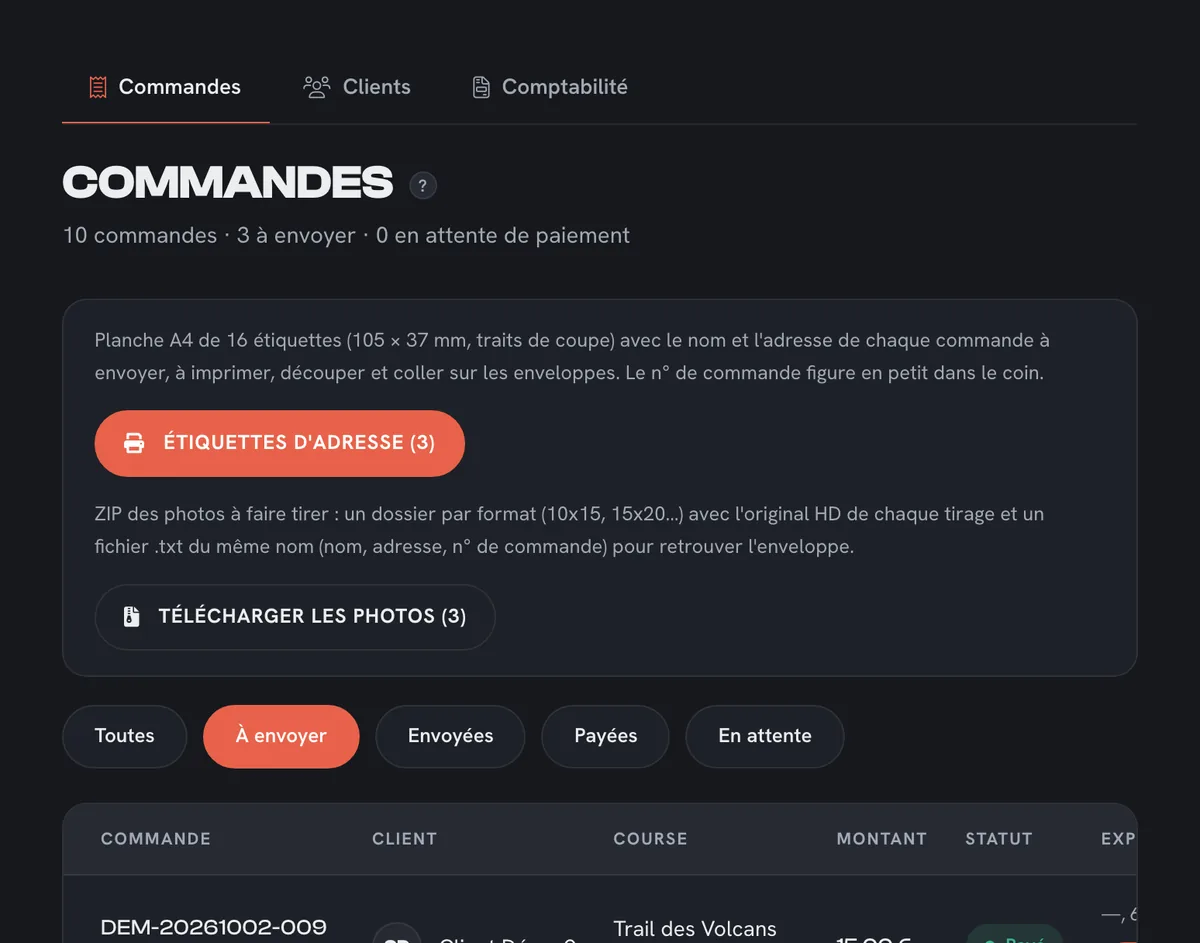
Paper prints and shippingPrints to send are listed, ready to print and post.
Print orders stay “to send” until you confirm shipping. Everything is ready for dispatch: photos to have printed, address labels, tracking of what is already in the envelope.
- ZIP of the photos to print, sorted by size
- A4 sheet of 16 address labels to print
- Shipping confirmation with an email to the customer
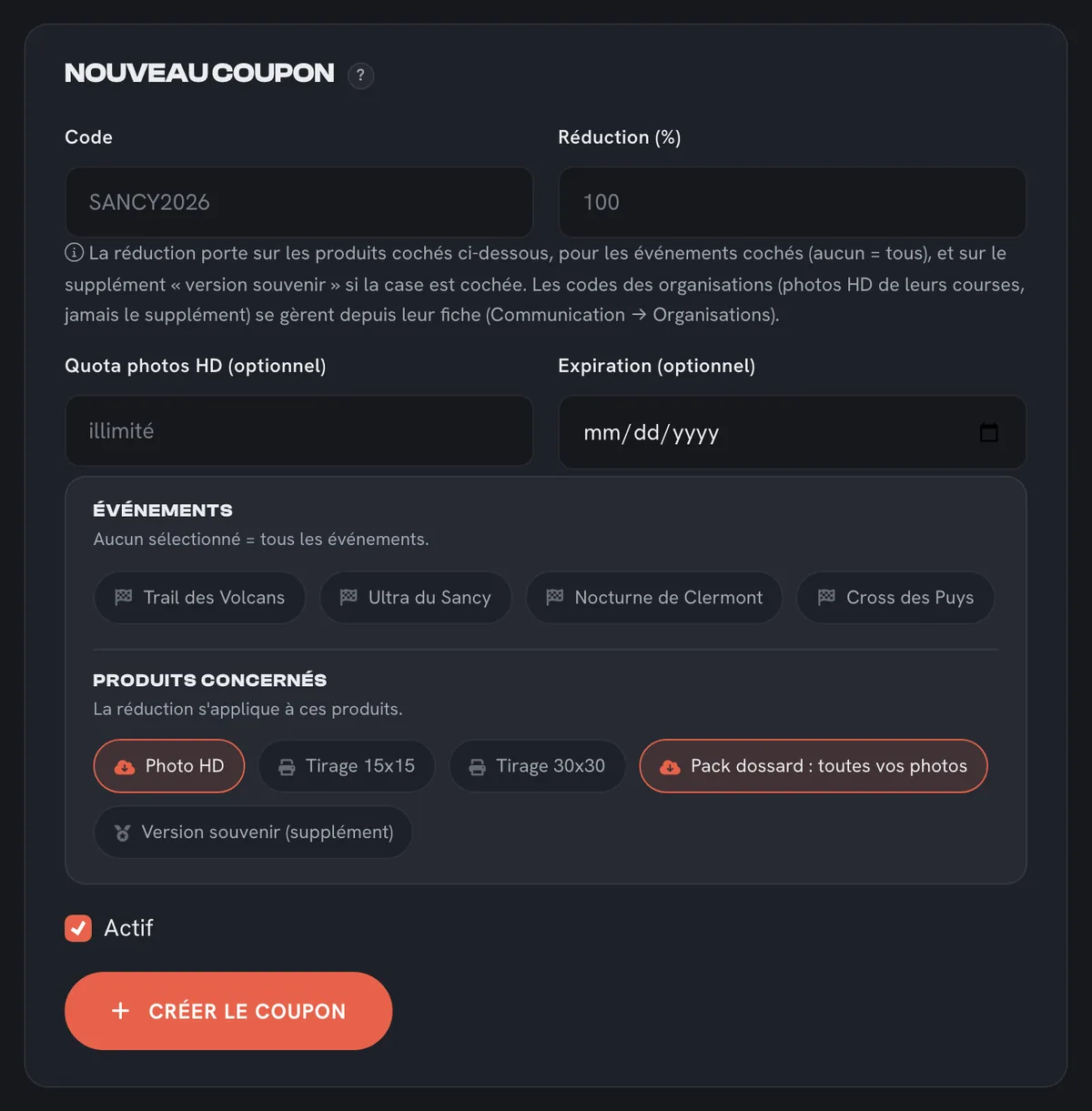
Promo codesA discount, a quota, an end date.
You create percentage discount codes (up to 100% to give photos away), limited if you wish to certain events or products, with a photo quota and an expiry date.
- Percentage discount, all the way to free
- Scope: events and products of your choice
- Optional photo quota and expiry date
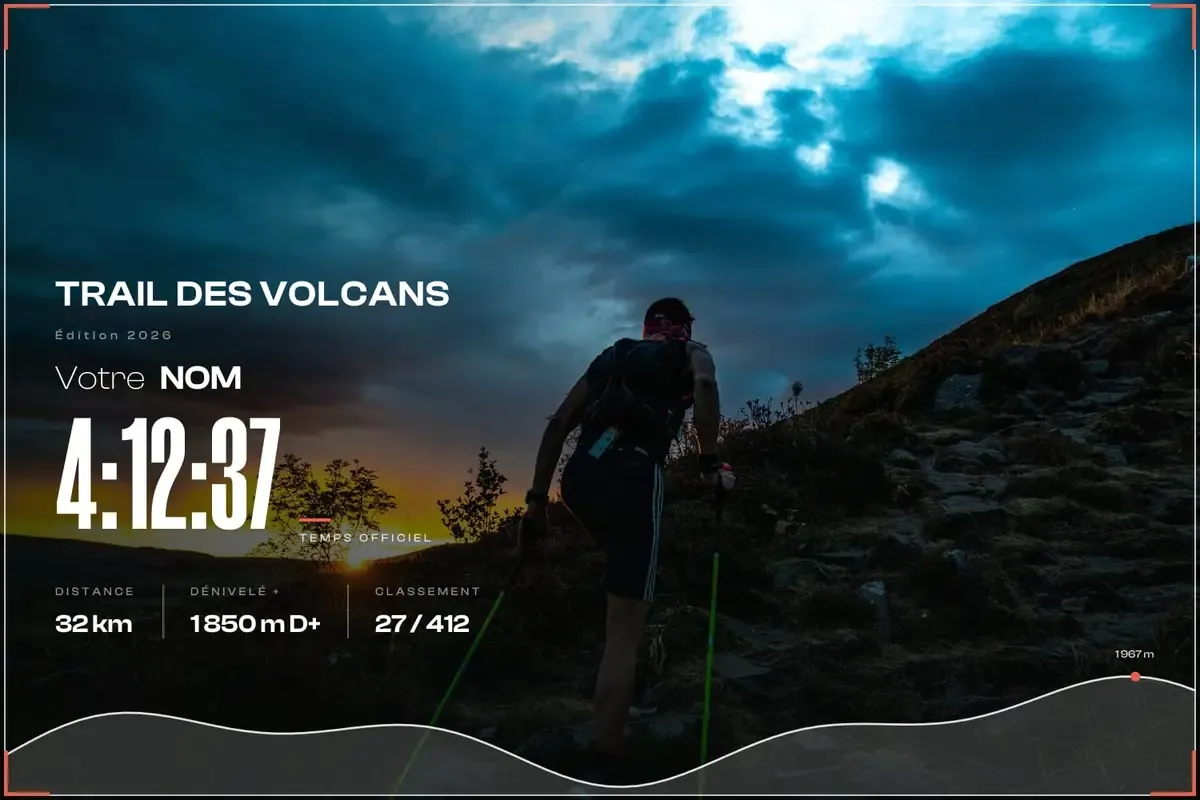
Souvenir versionThe photo with the time, ranking and course profile.
A basket option: the photo is delivered with the race logo, the runner's name, their official time, ranking, distance, elevation gain and course profile. You upload the results (CSV or Excel) and, if you like, the GPX track.
- Switched on event by event, once the race logo and results are imported; option price adjustable
- Adjustable volume pricing: by default, €1 less for each additional photo
- The runner sees a preview before buying
RefundsPartial or full, in two clicks.
From an order's page, you refund all or part of a paid order. The refund goes through Stripe and your accounts update.
- Partial or full refund
- Optional email to the customer
- Tracking of refunds made from Stripe
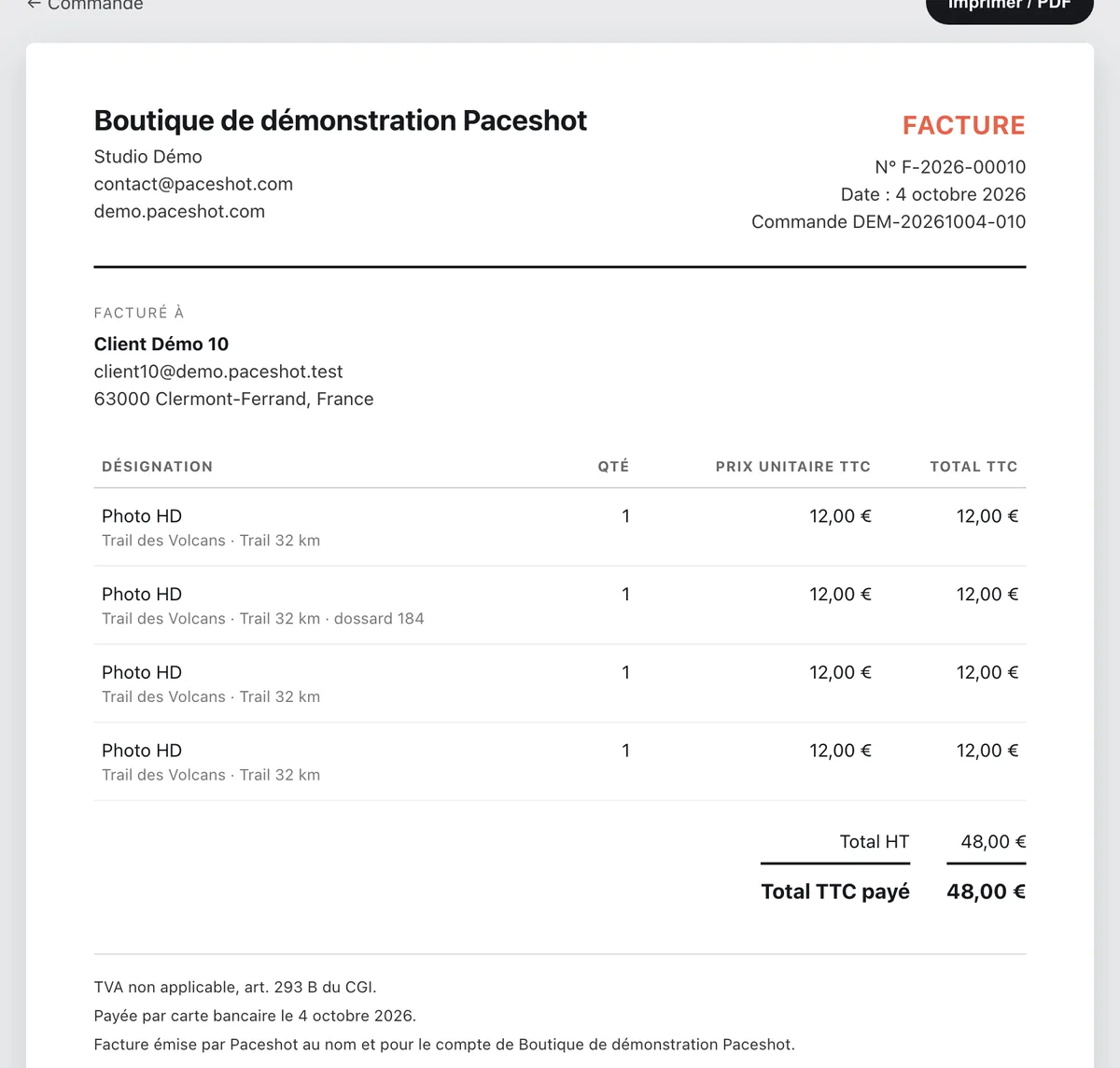
Automatic invoicesA numbered invoice in your name for every order.
Every paid order generates its own invoice, numbered sequentially within the year, in your name and with your legal details. You find it in the order; the runner downloads it from their account.
- Sequential numbering per year: F-2026-00001, F-2026-00002…
- VAT wording based on your tax status
- Printable or savable as PDF
Customer relations
Reply, follow up, notify: without spending your evenings on it.
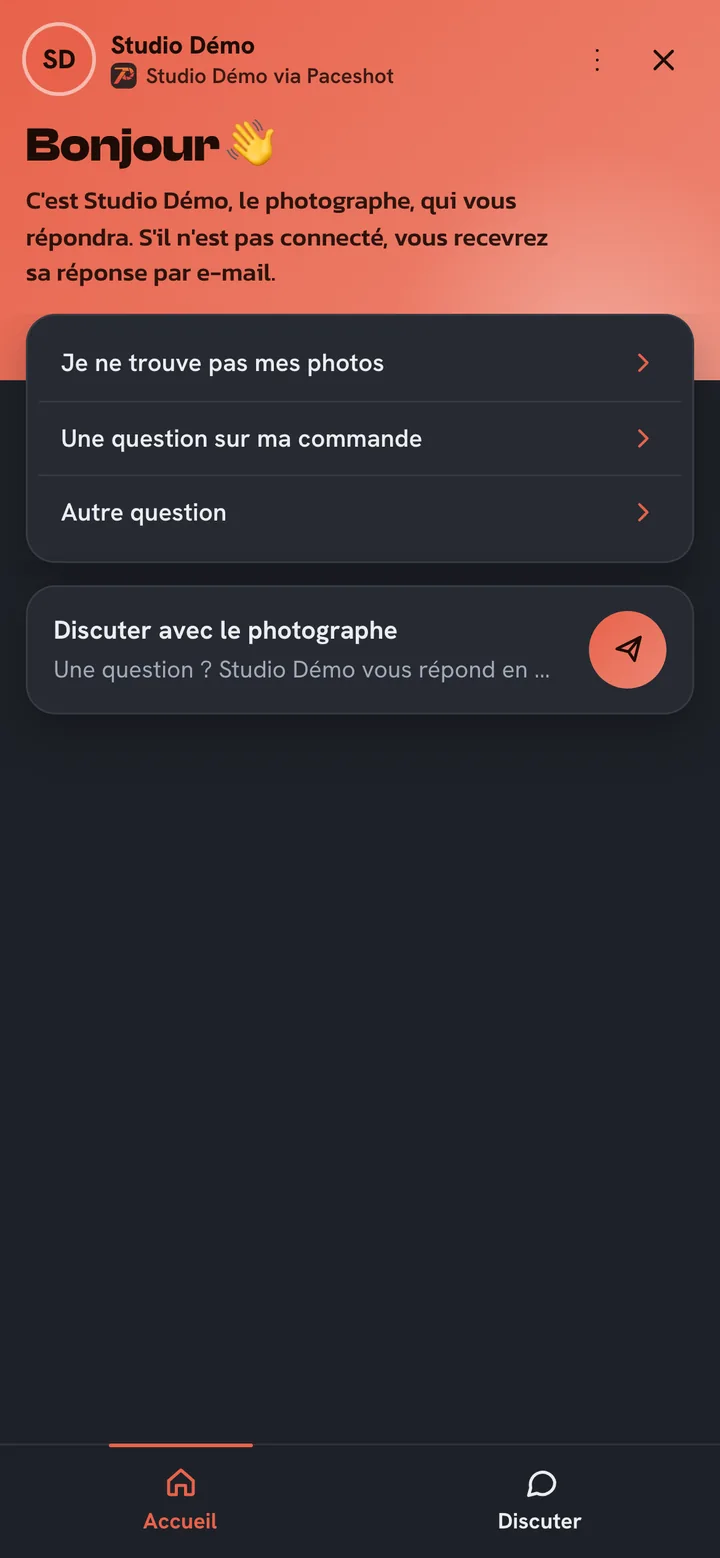
Chat with runnersA chat bubble across your whole shop.
Runners message you from any page of your shop; you reply from your account. If either of you is offline, the message goes out by email.
- Customer messages gathered in your account, with “… is typing”
- Shortcuts for the runner: “I can't find my photos”, “A question about my order”
- Email notifications on both sides
Abandoned basket remindersAutomatic, optional, with the delay of your choice.
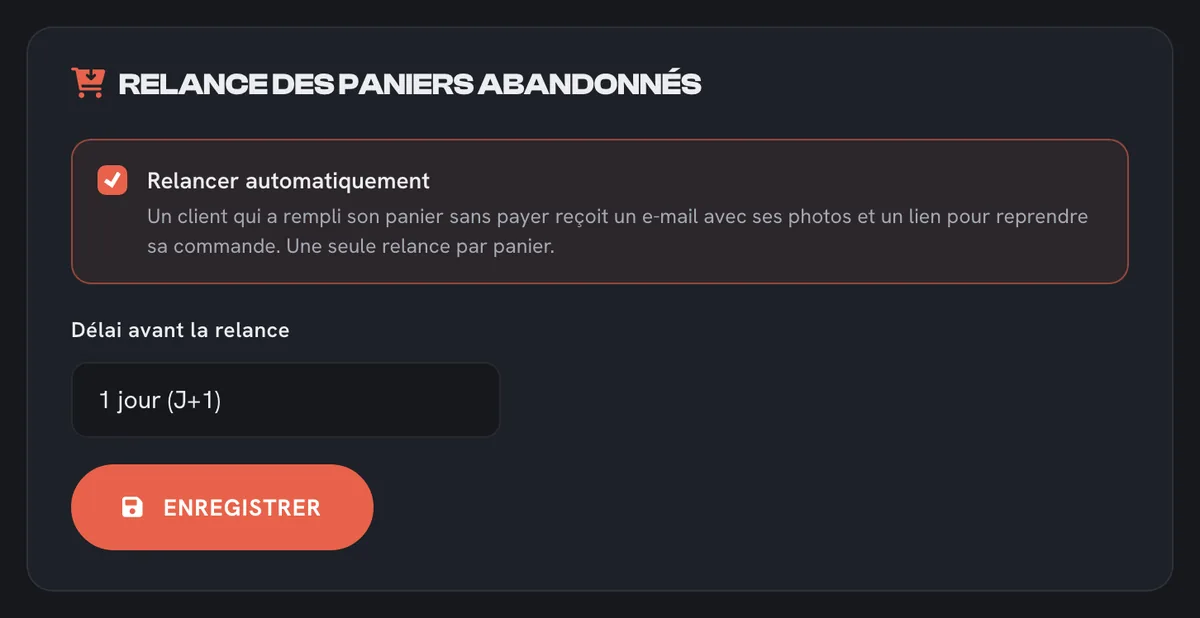
When a runner entered their email at checkout without finishing, Paceshot automatically emails them their photos again, with a link that refills their basket.
- You switch the automatic reminder on or off
- You choose the delay: 1, 2, 3, 5, 7 or 14 days after the order
- Only one reminder per basket, and never for an order already paid (checked with Stripe)
- Manual reminder possible from pending orders
“Notify me” alertsGallery not online yet? Runners leave their email.
While a gallery is empty, runners can ask to be notified. When the photos are online, you send them the alert in one click.
- Form on every empty gallery
- Sent from the event page
- Unsubscribe link in every email
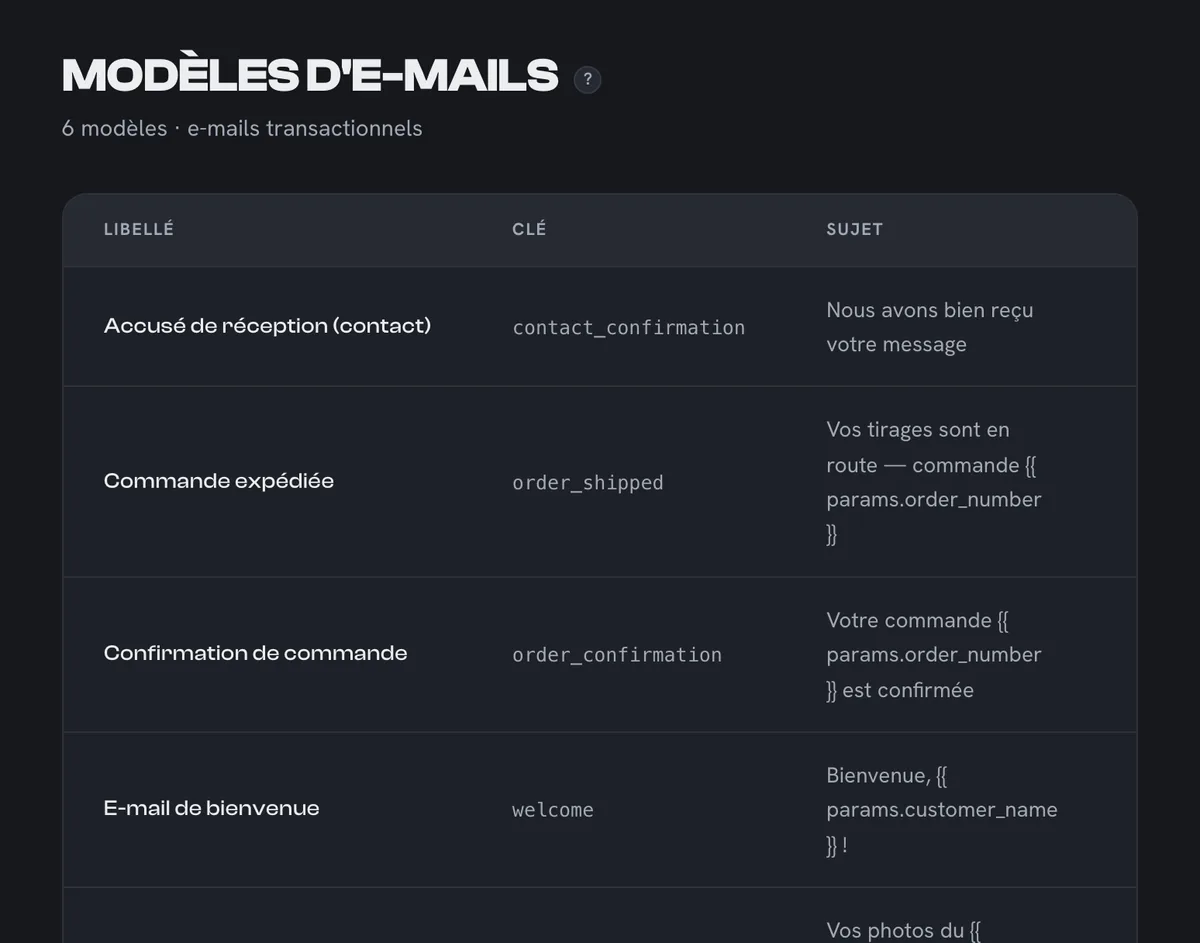
Emails in your name, editableConfirmation, shipping, refund: your templates, your tone.
Emails sent to your customers go out in your studio's name. You edit each template in visual mode or in HTML.
- Order confirmation, order shipped, refund, gallery online, welcome, contact acknowledgement
- Variables: customer name, order number, event…
- Contact form with replies from your account
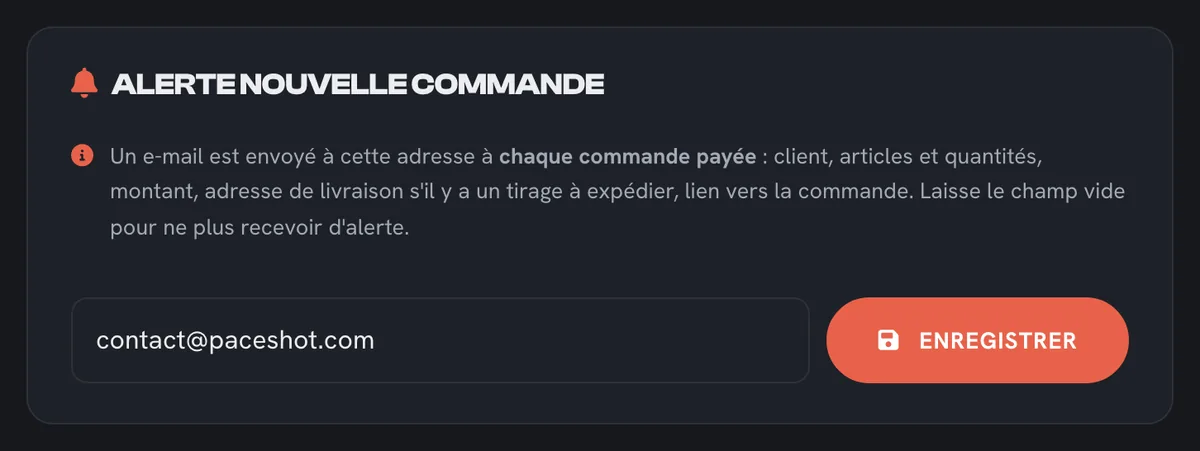
Alert on every saleAn email as soon as an order is paid.
You receive an email for every paid order: customer, items and quantities, amount, delivery address if there is a print to ship, and the link to the order.
- Receiving address of your choice
- Empty field = no more alerts
Management
Orders, figures, accounts: everything in one place.
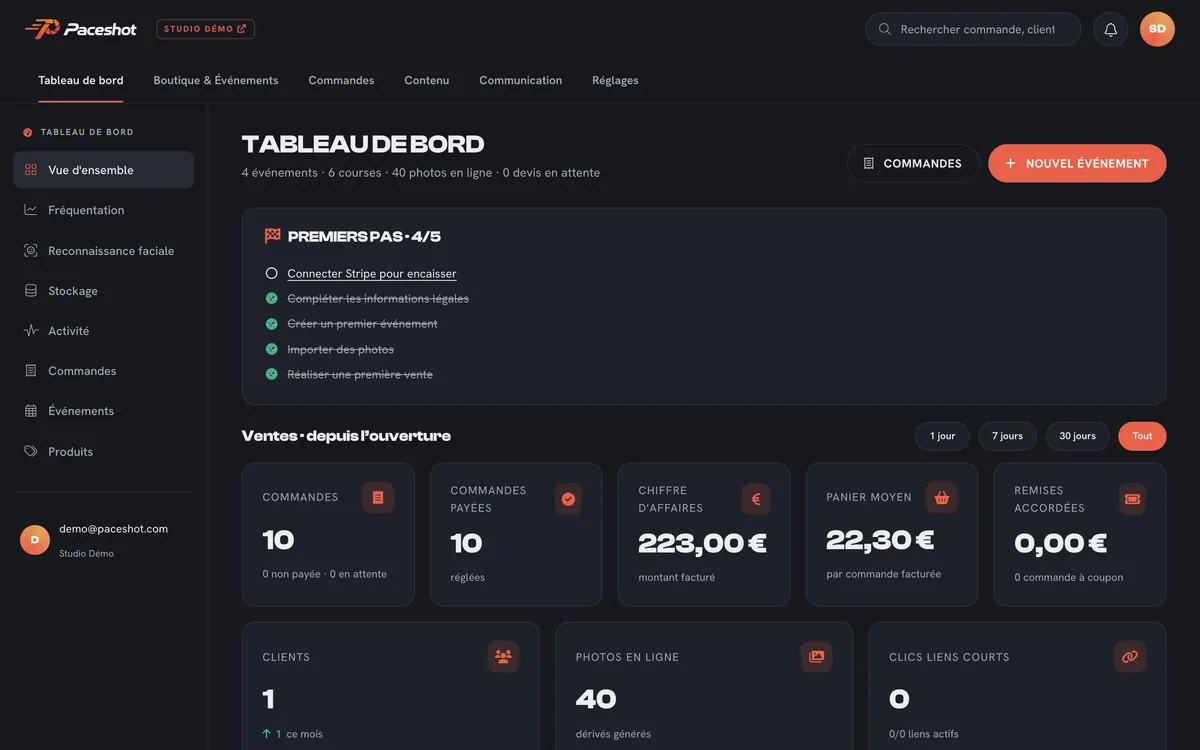
DashboardYour sales and your traffic at a glance.
Orders, revenue, average basket, discounts, customers, photos online: by day, 7 days, 30 days or since opening.
- Sales by period and by event
- Recent activity and latest orders
- Guided first steps when you open your shop
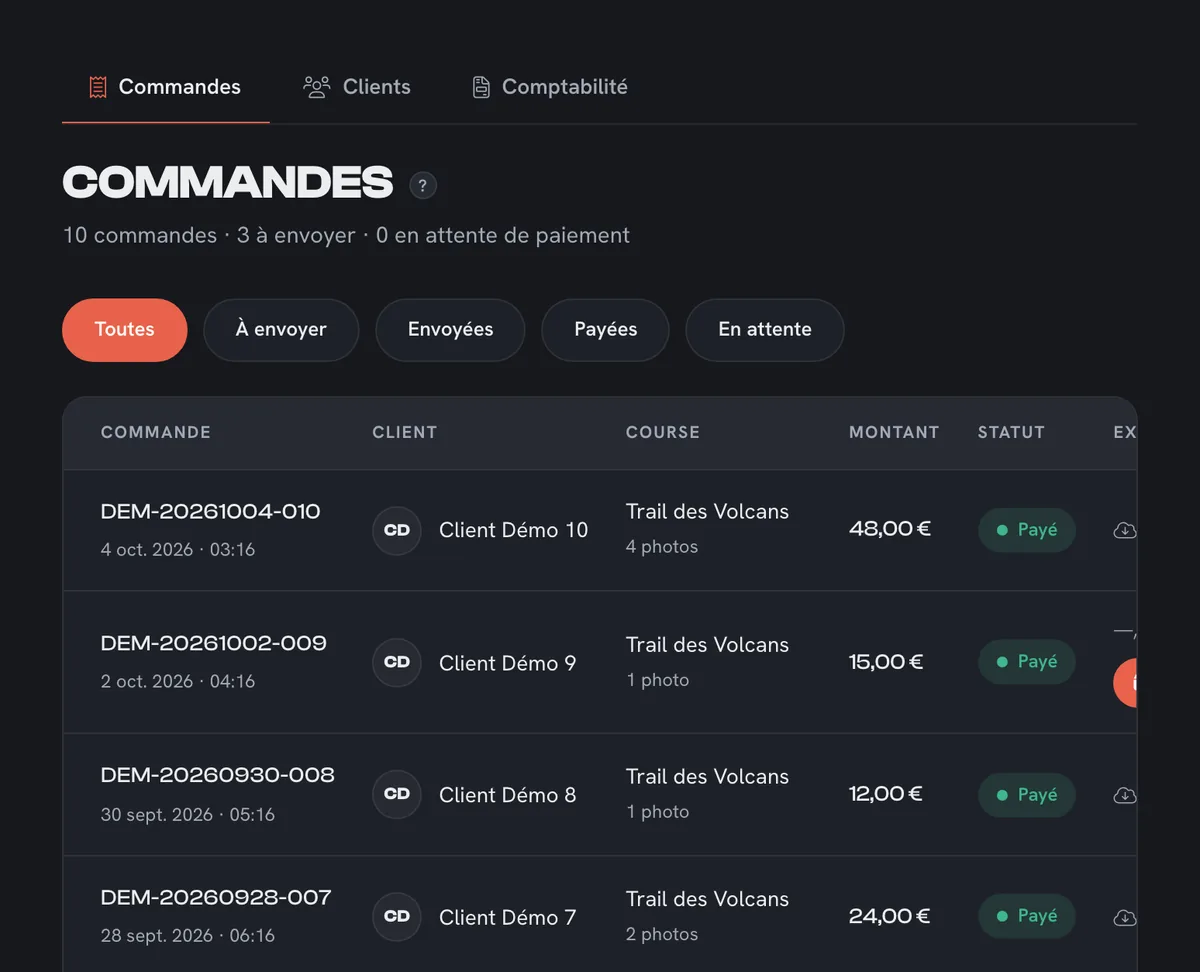
Orders and customersAll your orders, sorted by status.
Paid, to send, sent, awaiting payment: each order has its own page, with the photos, the customer and the address. The customer list brings their purchases together.
- Status filters and global search
- Customer page with order history
- Cancel and reactivate an order
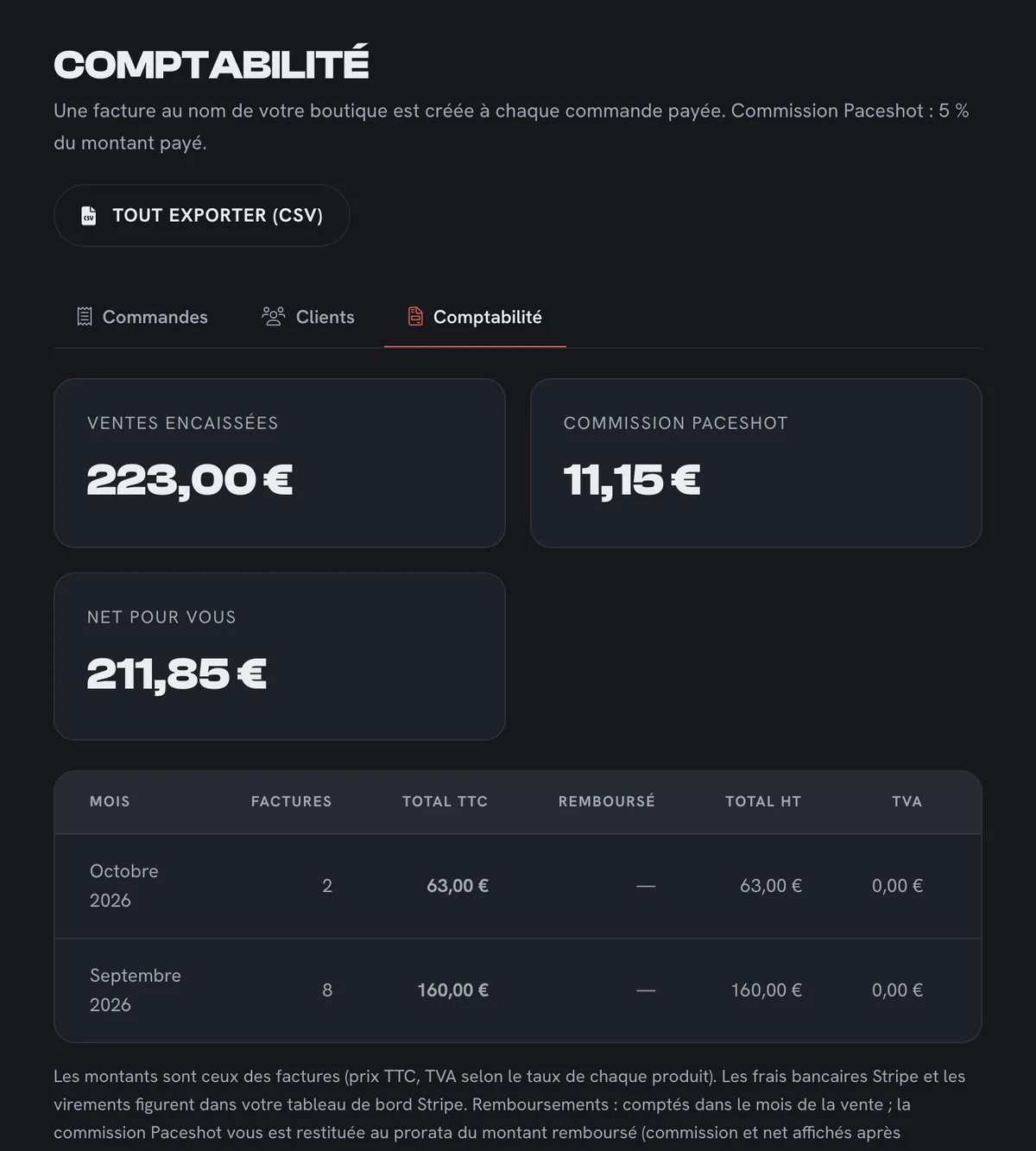
Accounts and CSV exportThe monthly summary, ready for your accountant.
For each month: sales incl. VAT, excl. VAT, VAT, refunds, payment and service fees, and net. Everything exports to CSV and PDF.
- Printable monthly summary
- CSV export of sales, monthly or in full
- Figures matched to the invoices issued
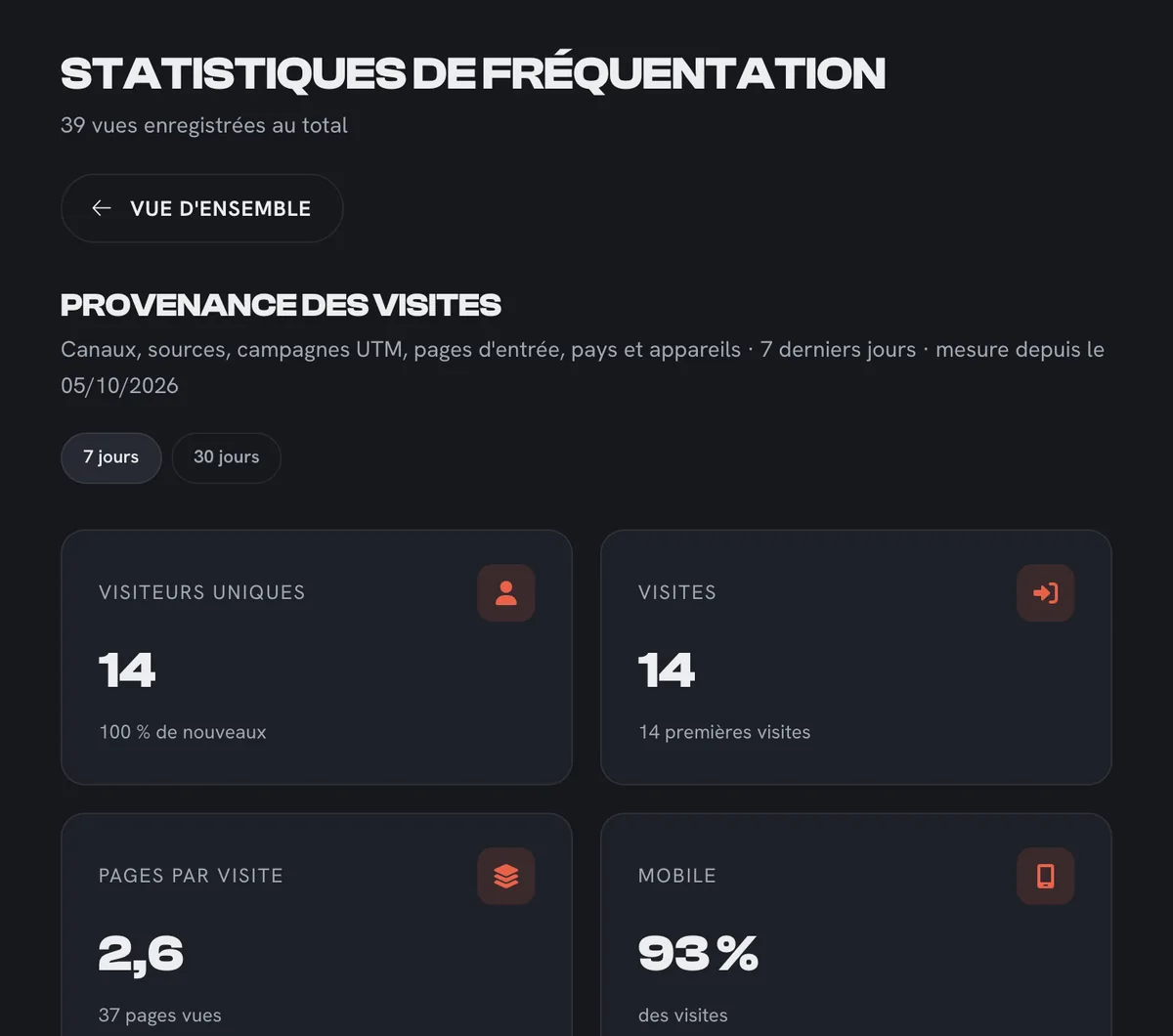
Traffic statisticsWho visits, from where, and which pages.
Visitors, visits, page views, sources (social media, search, campaigns), landing pages, countries and devices, measured by Paceshot on your shop.
- Daily visits chart
- Channels, detailed sources and UTM campaigns
- Most viewed pages and devices used
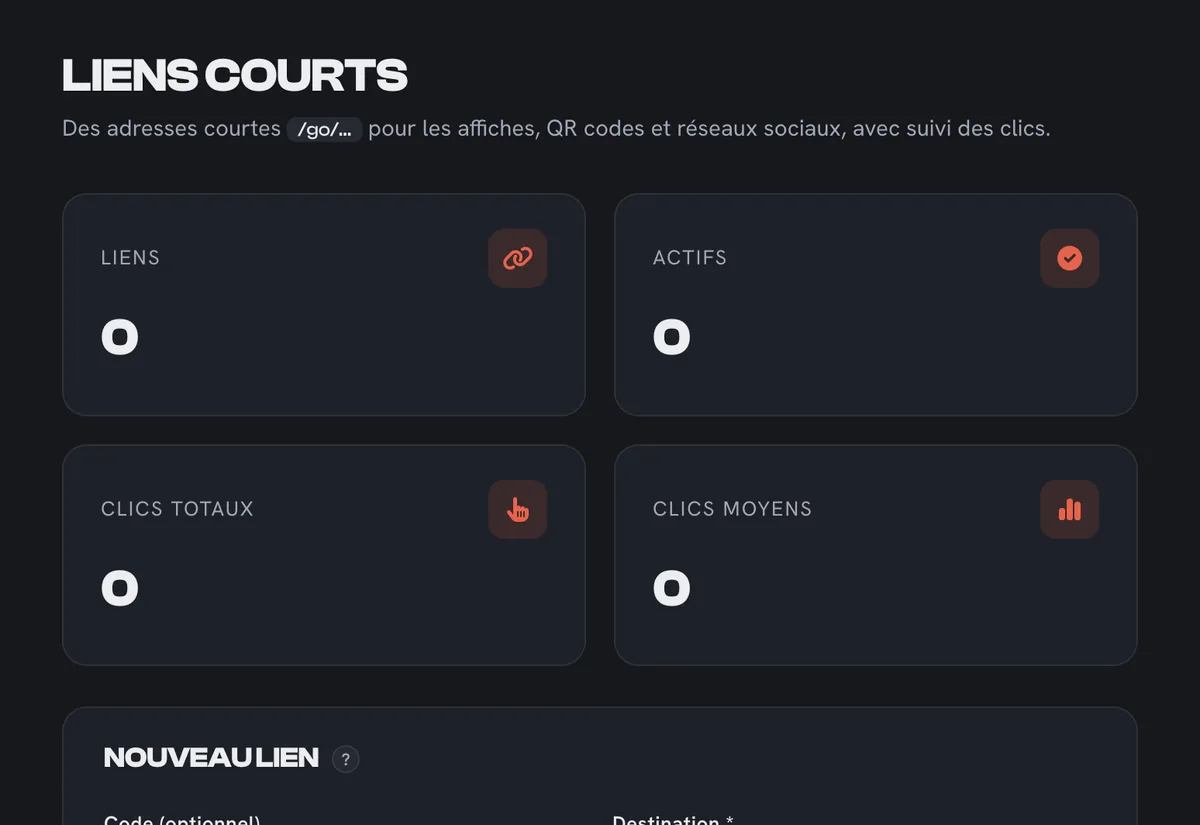
Short linksA short address for your posters and social media, with click counts.
You create a short link (/go/…) to a gallery or a page, to put on a poster, a flyer or a post. Each link counts its clicks.
- Code of your choice or generated
- Switch on and off at any time
- Number of clicks and date of the last click
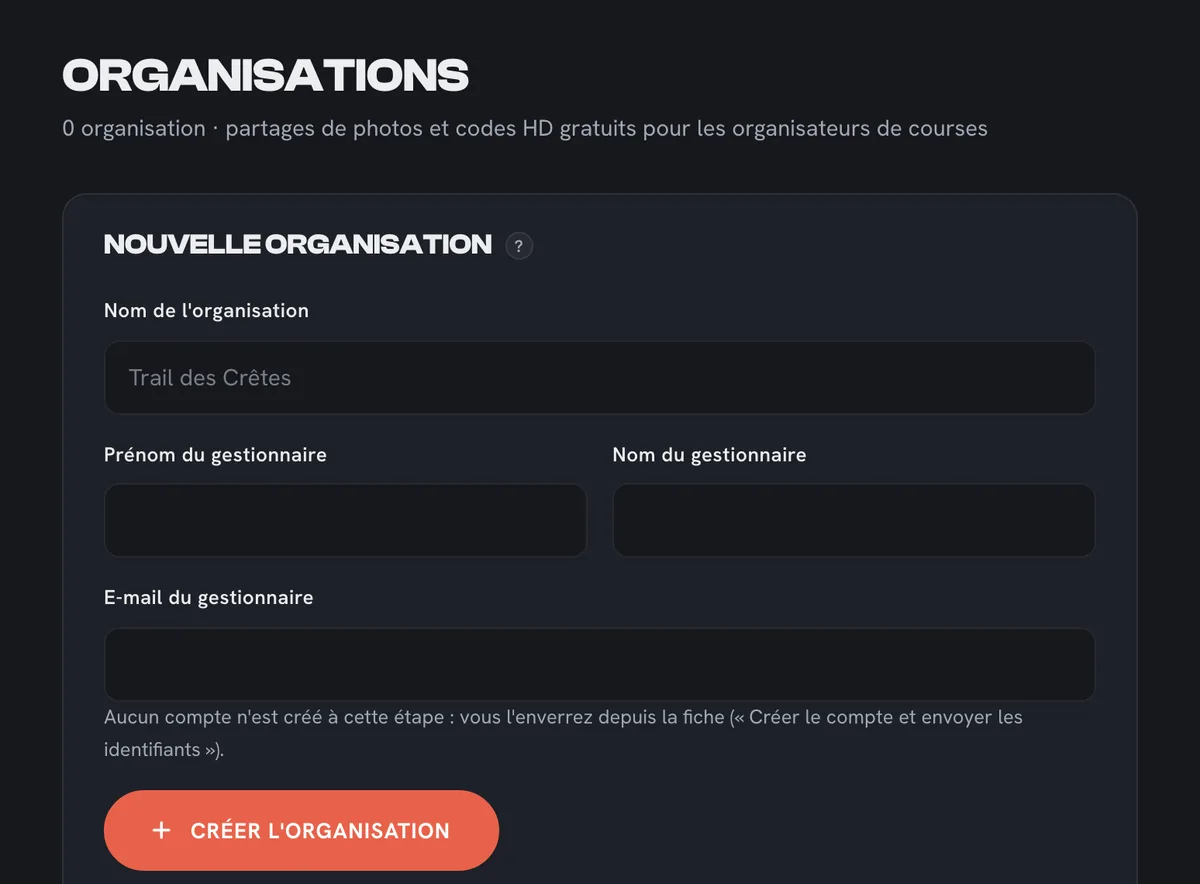
Sharing spaceA space for the organiser, a club or a partner.
You create a recipient (organiser, club, partner): they get access to the events you assign to them, hand out free HD photos with codes and collect the photos you share with them.
- Quota of free HD photos to share out as codes
- Photo shares without a watermark, downloadable as a ZIP
- Login details emailed to the manager
- Included in the Studio plan
Plans and add-onsNo commitment: change plan whenever you like.
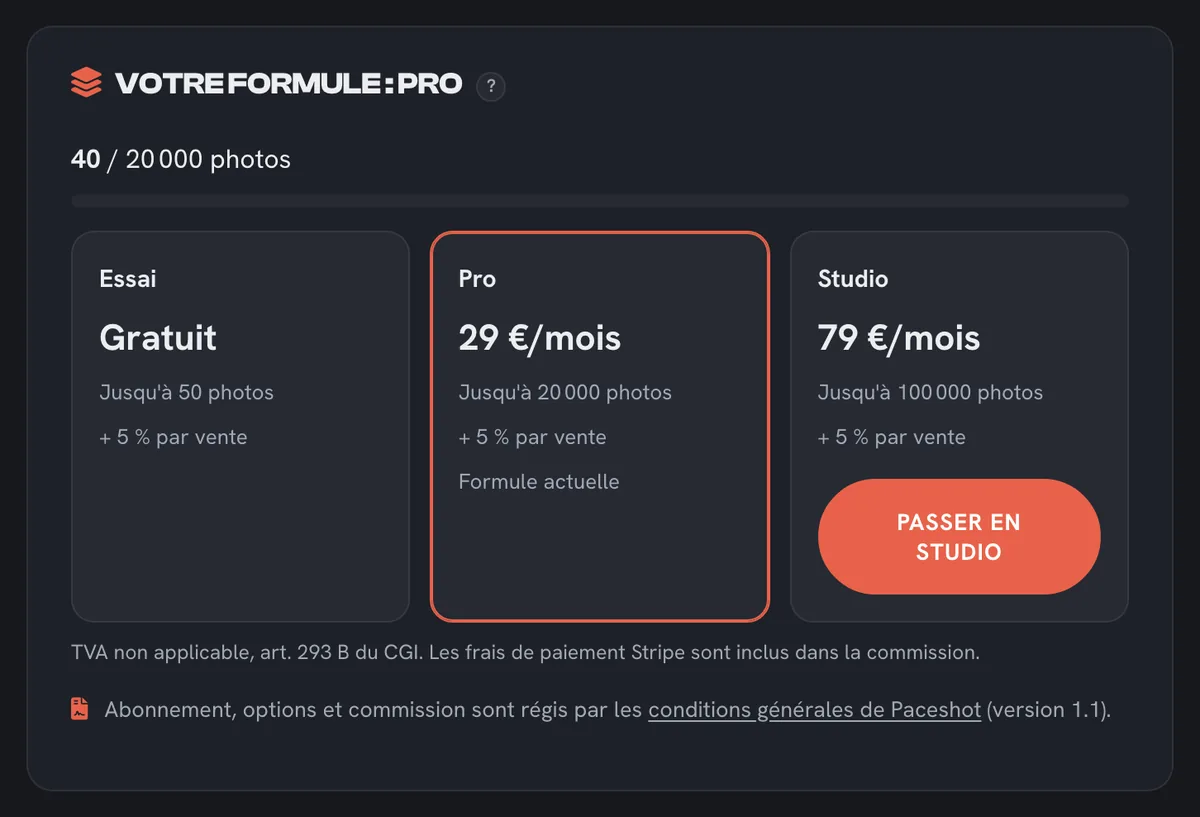
Free plan (one event, 1,000 photos in total), Pro at €29 a month (10,000 photos uploaded per month) or Studio at €79 a month (40,000 photos), or yearly with 2 months free. No commission on your sales. Add-ons are optional extras.
- Overage if you switch it on: €8 per 10,000 photos and €5 per 1,000 faces on Pro (€5 and €4 on Studio)
- Extra photos: blocks of 5,000 photos a month added to your quota, €4 a month per block on Pro, €2.50 on Studio
- Photos online for 1 month on Free, 6 months on Pro, 12 months on Studio, from the event date; reminder email 15 days before removal
- Custom domain €5 a month, white label €5 a month (included on Studio)
- Change plan from your settings: upgrades prorated, downgrades at the end of the paid period, no credit
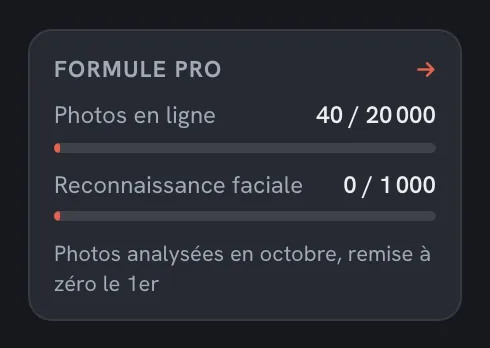
Your limits always in viewPlan, photos uploaded and face quota, in your menu.
In your account menu, a panel shows your plan, the photos uploaded this month against your quota and the photos analysed by face recognition. The gauges turn orange at 80% and red at 100%.
- Visible in every section of your account
- Direct link to your subscription and add-ons
Several photographers,
one event
Paceshot has an offer for race organisers who work with several photographers. You create an “Organisation” account, invite your photographers and assign your events to them: their galleries appear on your shop, and your subscription covers those events. Each photographer keeps their own shop and takes payment for their sales on their own Stripe account.
An “Organisation” accountChosen at sign-up, with the same plans as a photographer.
When you sign up, you choose the “Organisation” account type (race organiser, club…). You get your shop, your events and your dashboard just like a photographer, plus an Organisation tab to manage your photographers. You can also upload and sell your own photos.
- Free, Pro (€29 a month) or Studio (€79 a month) plans, same as for a photographer
- Account type can be changed later in your settings
Inviting photographersA name, an email address: the invitation is on its way.
From the Organisation tab, you invite a photographer by email. They follow the link, create their Paceshot account (or log in if they already have one) and join your organisation in one click.
- Invitation link valid for 14 days, and you can resend it
- The photographer keeps their shop, their Stripe account and their workspace
- Only a photographer account can join an organisation
- Photographer removed: they lose access to your events; their photos and sales stay in their workspace
Your events assigned to your photographersYou tick, they are notified, they upload.
For each photographer, you tick the events they cover. Each one appears in their workspace and they are told by email: they create their galleries there and upload their photos. The event details remain managed by you.
- Several photographers on the same event
- Your event's name, date, location and visibility copied automatically to your photographers
- The photographer manages their galleries; they cannot edit or delete your event
Every gallery on your shopRunners find all the photos of your race in one place.
On your shop, your event page shows one card per gallery from your photographers, with the photographer's name in their colour. The runner picks their gallery and buys on the photographer's shop.
- Selfie search across the whole event from your shop, in galleries whose faces have been analysed
- A gallery can be hidden on your shop; it stays online on the photographer's shop
- Your own galleries appear alongside your photographers'
Your subscription covers your eventsQuota, time online and selfie search: your plan is what counts.
On the events you assign, your plan's rules apply, not your photographers'.
- Photos uploaded by your photographers count towards your quota (overage billed to you, if you switch it on)
- Time online and selfie search follow your plan, with face analyses counted on your quota
- Your events don't count towards your photographers' event limit: on the Free plan, a photographer can cover several of your events
Sales and pay trackedWhat each photographer sells on your events.
Each photographer takes payment for their sales on their own Stripe account, as on any Paceshot shop. Your Organisation table tracks, photographer by photographer, their events, photos online, orders and sales on your events, and works out the pay you have set for them.
- Pay of your choice: fixed fee, fixed fee + percentage of sales, or percentage of sales
- Net sales: refunds and discounts deducted
- Organisation totals: active photographers, pending invitations, photos online, sales
Gyms: free photos for membersAn account where everything is free for your members.
For a gym or box that runs its own events, the “Gym” account makes everything free: your members find their photos and download them in HD at no cost, by leaving their email address.
- Free photos and bib packs
- No money anywhere in your workspace: no prices, no promo codes, no payouts
- Only the Paceshot subscription is paid, on the usual plans
What your
runners see
What runners see on your shop, from search to download. No app, no sign-up needed to search.
Search by bib numberType your number: all your photos from the race appear.
On your race's gallery, type your bib number. The photos where it was read appear, along with those where you were recognised by your face. If your bib has photos in other galleries of the event, you are told.
- No sign-up needed to search
- Photos from the event's other distances flagged
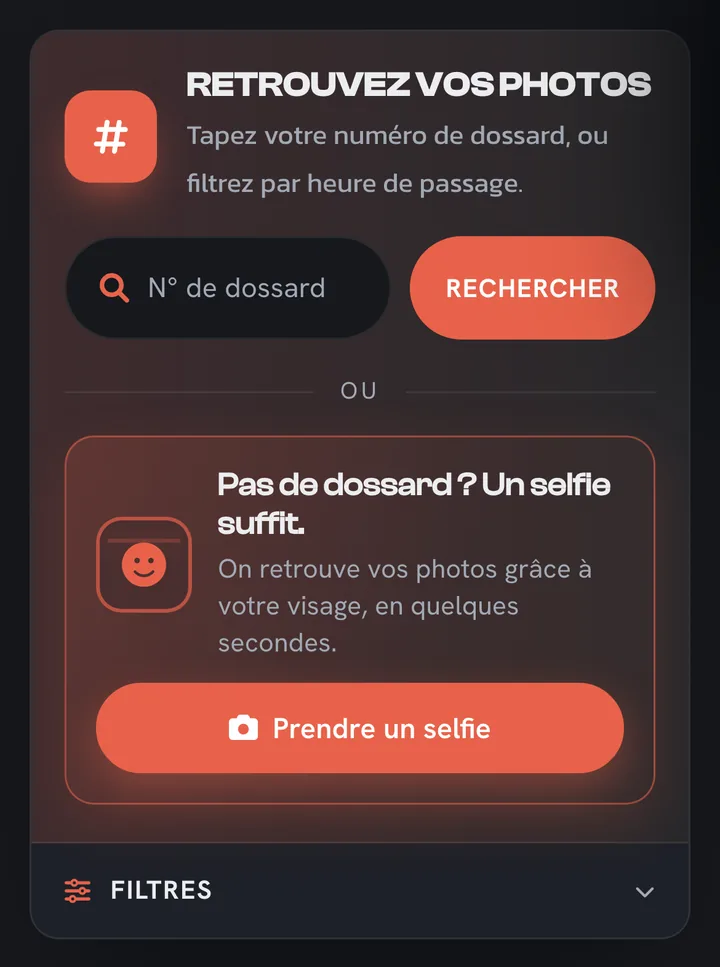
Selfie searchNo visible bib? A selfie is enough.
On galleries where the photographer has switched it on, take a selfie: Paceshot finds the photos your face appears in, within seconds.
- Your consent is asked before each search
- The selfie is not kept: it is used for the search, then discarded
- The result stays available for 30 minutes on your device
Time of passageFind yourself at the time you passed the camera.
Filter the gallery by time slot, and also browse the photos where no number could be read (hidden or folded bib, or seen from behind).
- “Between … and …” filter in 15-minute steps
- “Unreadable bib” filter
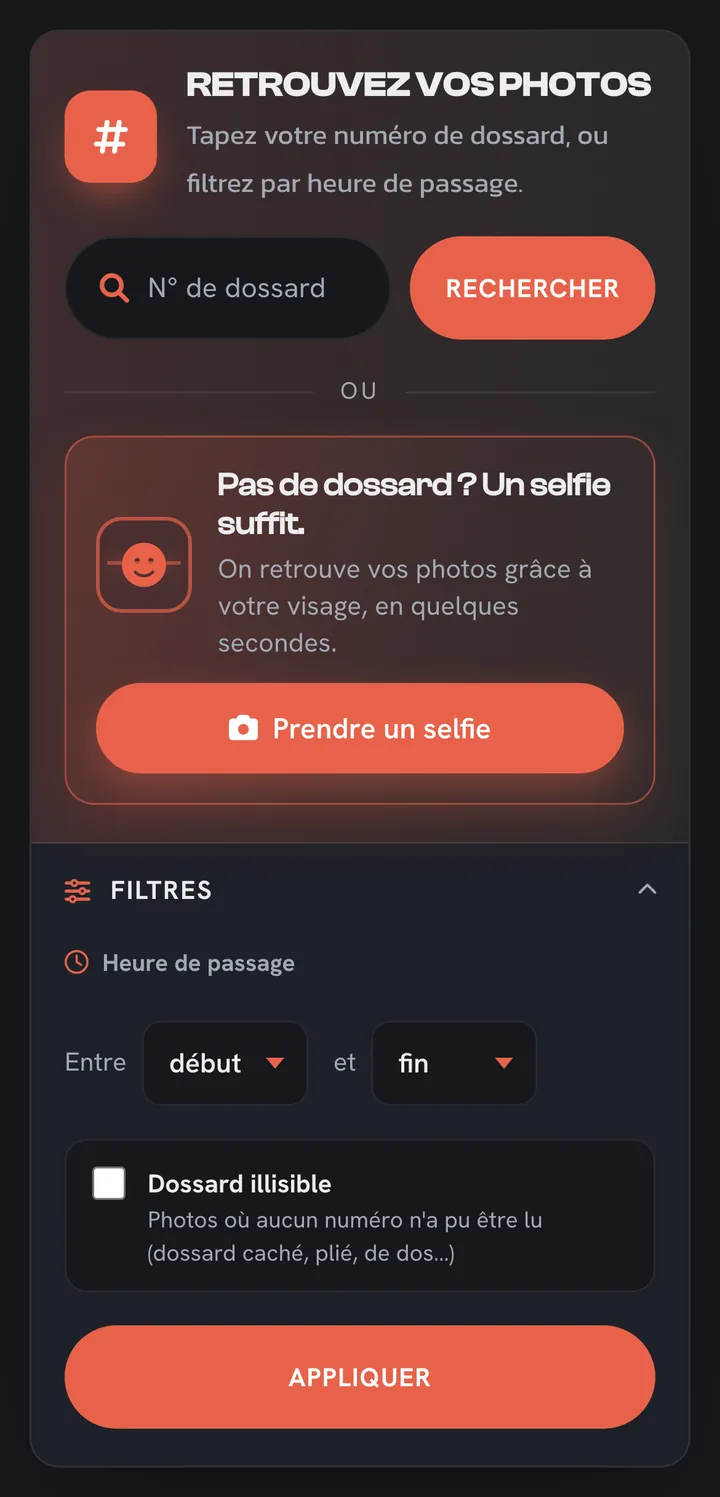
Photo packAll your photos from the event, at a single price.
When the photographer offers it, the pack brings together all the photos of your bib from the event, for less than buying them one by one. The saving is shown before you buy.
Basket and secure paymentBasket, promo code, card payment via Stripe.
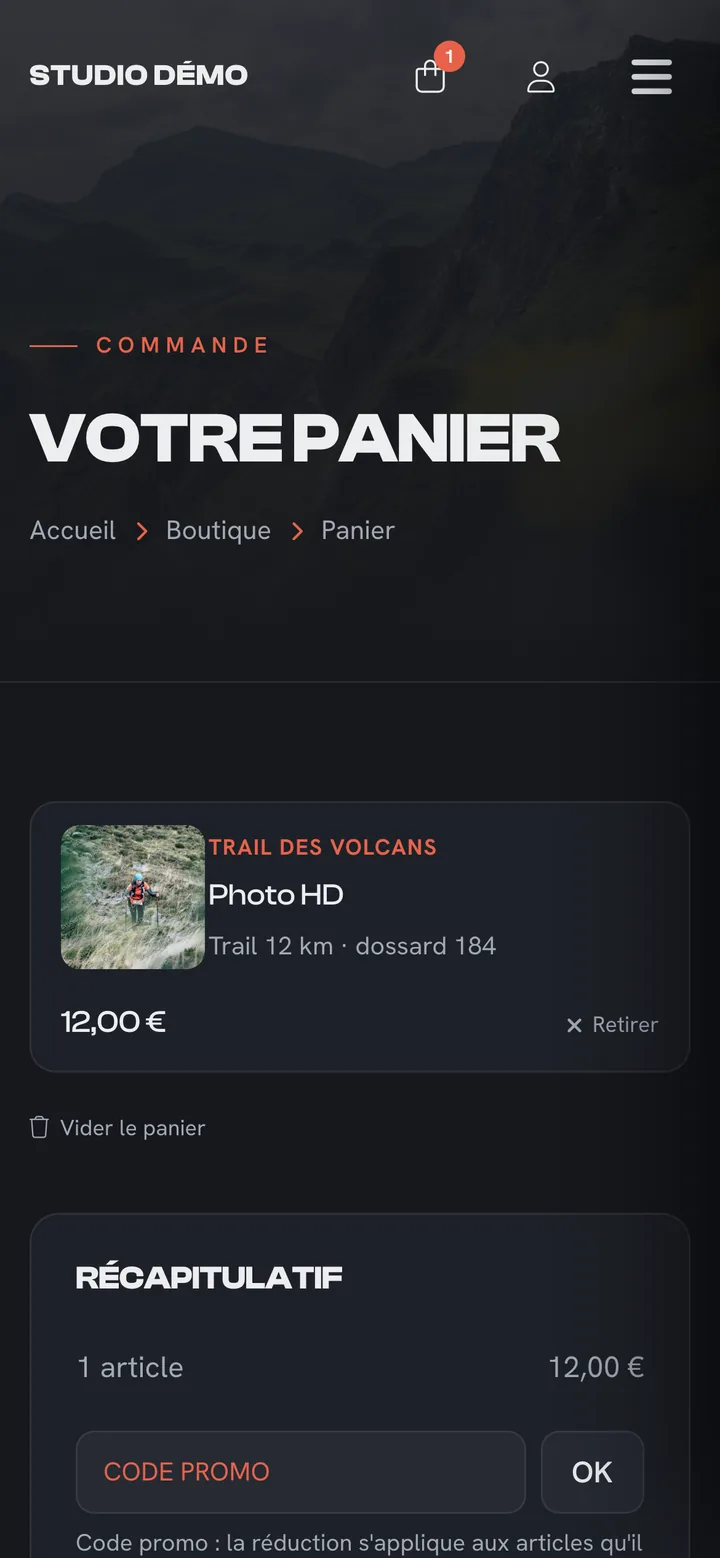
Add your photos and sizes to the basket: volume pricing applies automatically, and you can enter a promo code. Payment is by card on a secure Stripe page.
- Your account is created automatically and your login details are emailed to you
- Order confirmation by email
- Downloadable invoice
High-definition downloadYour originals without a watermark, right after payment.
As soon as payment goes through, the photos you bought can be downloaded in high definition, without a watermark, from your order page. You can find them later in “My orders”.
- Secure download link, for the buyer only
- History in “My orders”
Souvenir versionYour photo with your time and your ranking.
When the photographer offers the option, your photo can be delivered with the race logo, your name, your official time, your ranking and the course profile. You see a preview before you buy.
Get notified when photos go livePhotos not there yet? Leave your email.
If your race's gallery is not online yet, leave your address: you get an email as soon as the photos are published.
- One-click unsubscribe
Message the photographerA question? The photographer will reply.
The chat bubble, available across the whole shop, puts you in touch with the photographer. If they are offline, their reply reaches you by email.
ShareSend the gallery or a photo to friends and family.
A share button on every gallery and every photo: by message, on social media, or by copying the link.
Your shop,tonight.
Free plan, 1,000 photos included, no card and no commitment.
